
From Linear Automations to Autonomous Agents
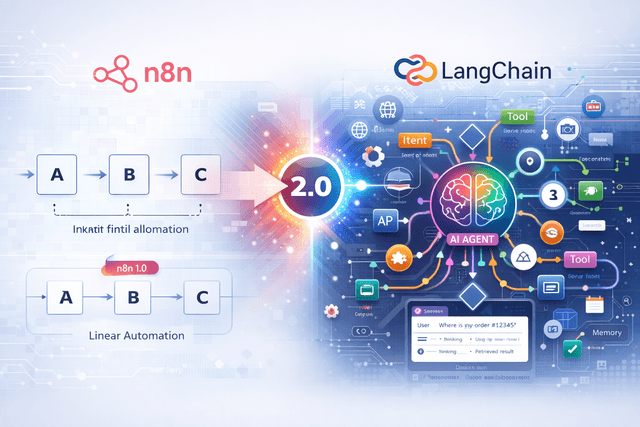
For years, n8n has been the champion of linear automation: Trigger → Action A → Action B. But modern problems require dynamic solutions.
Enter n8n 2.0, released in January 2026. With the integration of Native LangChain support, n8n has evolved into a powerful orchestration layer for AI Agents-systems that can reason, plan, and execute tasks using tools, rather than just following a pre-defined script.
What is New in n8n 2.0?
The 2.0 update is massive. beyond the UI refresh, the core engine has been upgraded to support stateful, long-running AI processes.
🧠 Native LangChain Integration
No more hacking together HTTP requests to OpenAI. n8n now has first-class nodes for Chains, Agents, Memory, and Vector Stores.
🛠️ The "Tool" Node
You can now designate any n8n workflow as a "Tool". An AI Agent can call this tool when it decides it needs it. This enables modular, reusable agent skills.
💾 Persistent Memory
Agents can now remember context across different executions. Use Redis, Postgres, or in-memory storage to keep conversation history.
🚀 Autosave
The most requested feature. Workflows are saved automatically as you build, preventing data loss during browser crashes.
Understanding the New Nodes
If you open the n8n editor today, you will see a new "LangChain" category. Here are the key components:
- ✓Model Nodes: Connect to OpenAI (GPT-4o), Anthropic (Claude 3.5), or local models via Ollama.
- ✓Memory Nodes: manage conversation history (WindowBuffer, SummaryBuffer).
- ✓Chain Nodes: Pre-built logic like "Summarize", "QA with Documents", or "Structured Output Parser".
- ✓Vector Store Nodes: Connect to Pinecone, Qdrant, or Supabase specifically for RAG (Retrieval Augmented Generation).
Tutorial: Building Your First Agent
Let us build a simple "Customer Support Agent" that can answer questions and look up order status.
Step 1: The Agent Node
Drag an AI Agent node onto the canvas. Connect a Chat Trigger to it. This node acts as the "brain".
Step 2: Connect a Model
Connect an OpenAI Chat Model node to the Agent's "Model" input. Select GPT-4o for best reasoning capabilities.
Step 3: Define Tools
This is the magic part. Create a separate workflow calling your database (e.g., Postgres) to "Get Order Status". In your main agent workflow, use the Tool node to expose this sub-workflow to the agent.
Name the tool clearly, e.g., "look_up_order". The AI will use this name to decide when to call it!
Step 4: Test
Open the chat window. Ask: "Where is my order #12345?". The Agent will see it needs to use the "look_up_order" tool, execute it, get the data, and respond to you in natural language.
The Future is Semantic
With n8n 2.0, we are moving away from rigid logic trees toward semantic routing. You tell the system what to do, and the Agent decides how to do it.
This reduces the complexity of maintaining massive "spaghetti" workflows with hundreds of if/else branches. Instead, you build small, modular tools and let the AI orchestrate them.
Want to Compare Platforms?
See how n8n's new AI features stack up against Zapier and Make.
Read the 2026 Comparison Guide →