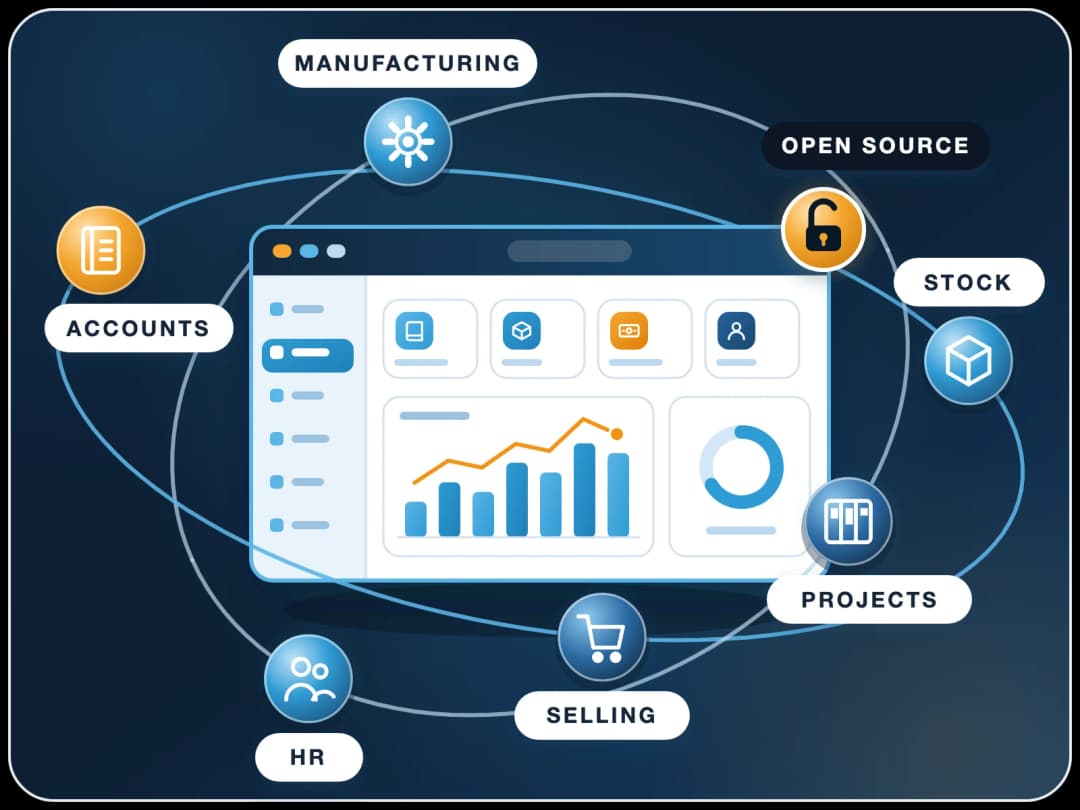
ERPNext + AI: Intelligent Enterprise Automation
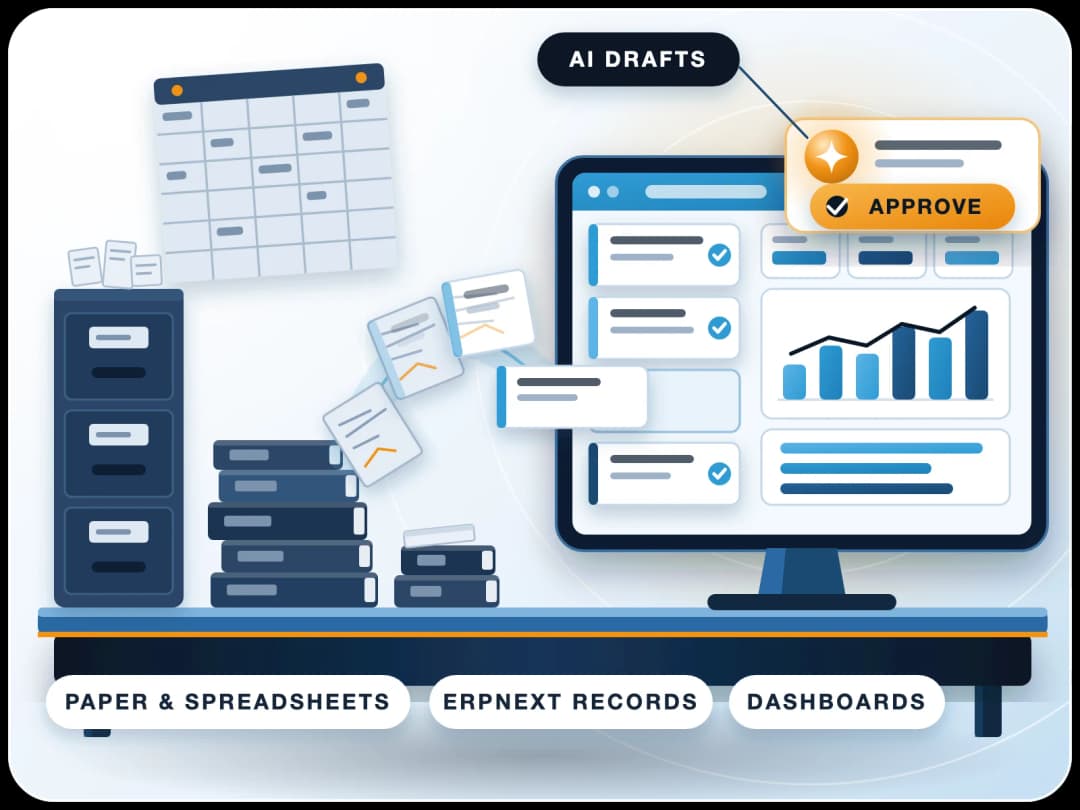
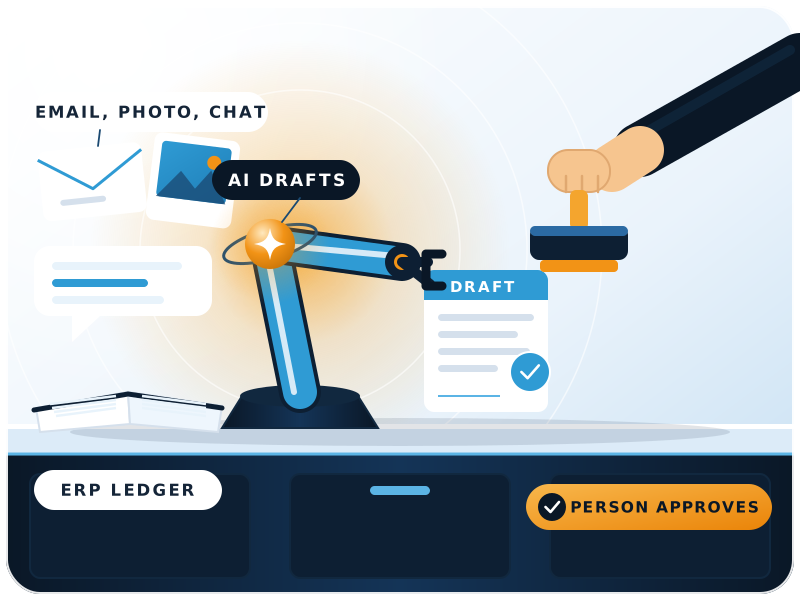
AI in ERPNext means agents that read emails, photos and chats, draft the ERPNext record, and wait for a person to approve it, all inside the user's own permissions. FinByz Tech builds these ERPNext AI features as open-source apps, with the model of your choice, after the data they rely on is clean.
Is AI built into ERPNext, or added on top?
Mostly added on top. ERPNext records the business; AI apps and assistants work with that data.
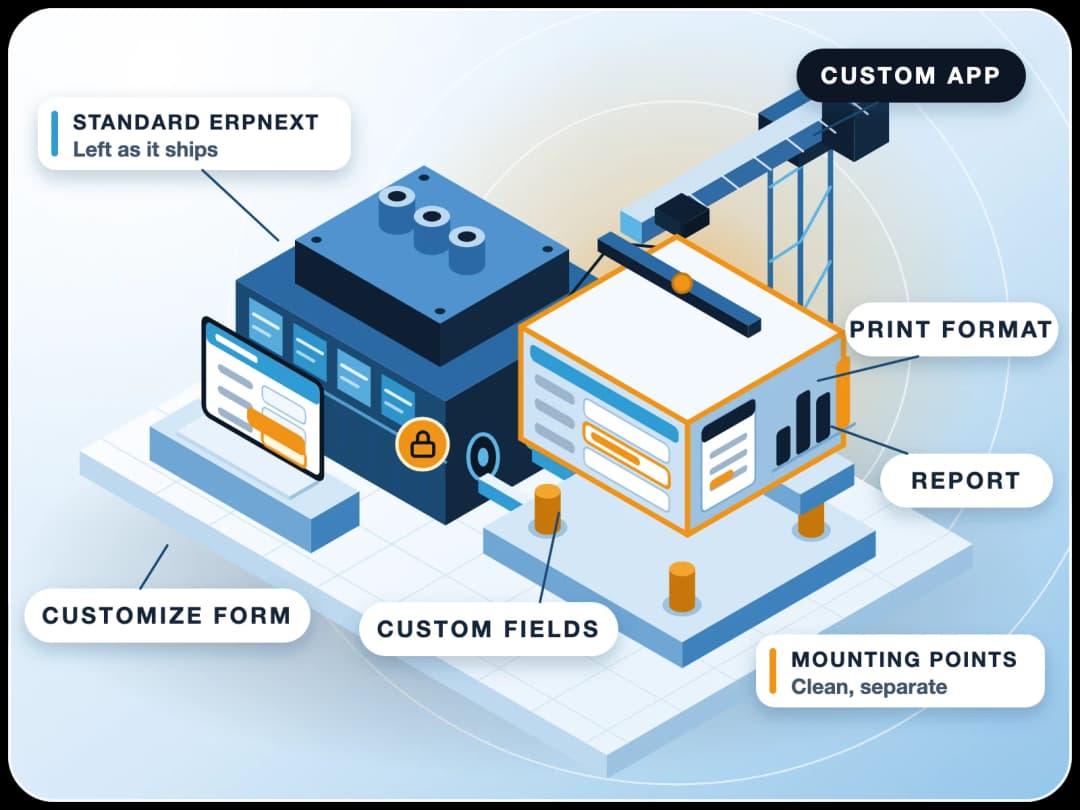
Core ERPNext is a transaction system. AI comes from apps installed on the same site, and from assistants such as Claude that connect to ERPNext with each user's own login. FinByz Tech builds the apps and sets up the connections.
Because the apps run inside ERPNext, they see only what the user may see, and every record they create is a normal ERPNext document with an owner and an audit trail.
What does FinByz add to ERPNext?
Ready agents for sales, hiring, purchase and accounts, a knowledge base for your own documents, chat inside ERPNext, and new agents built for your tasks.
Where does your data go?
To the language model you choose, for the task at hand only. For stricter needs, an open-weight model can run on your own server so no data leaves it.
Which AI apps can you add to ERPNext today?
Each one is a separate page with what it does and how it fits in ERPNext.
Inquiry to Lead
Inquiry emails read, sorted and turned into leads in ERPNext, with duplicates caught.
See the appCandidate Ranking
Resumes scored against the job opening, with the reasons shown to the recruiter.
See the appVisiting Card Capture
A card photo becomes a contact, with research and a draft follow-up waiting for approval.
See the appQuotation Drafting
Draft quotations from an inquiry, using your items, prices and past quotes.
See the appFollow-Up Reminders
Open quotations and leads tracked, with follow-up messages drafted for the salesperson.
See the appContent Pipeline
Ideas, research, drafts and social posts, each step reviewed by a person.
See the appModels and Connectors
Which language models, chat channels and assistants can connect to ERPNext, and how.
See the optionsAgents on ERP Data
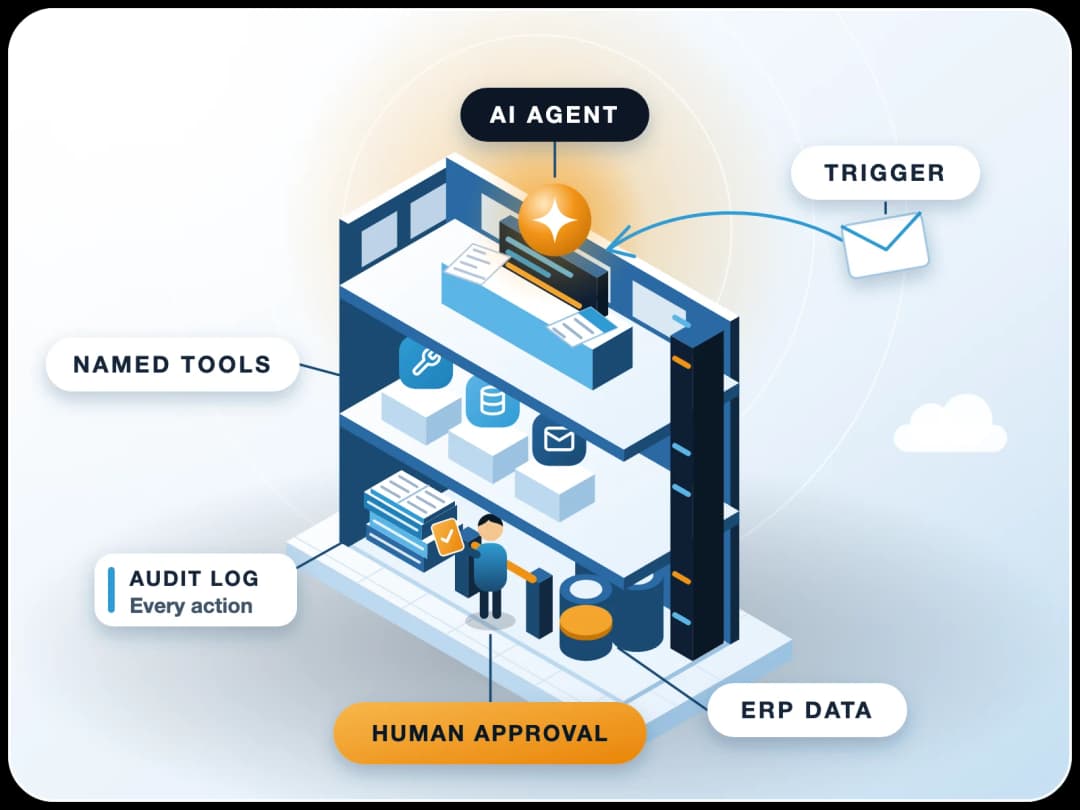
What an agent is, what it may touch in the ERP, and how to roll one out safely.
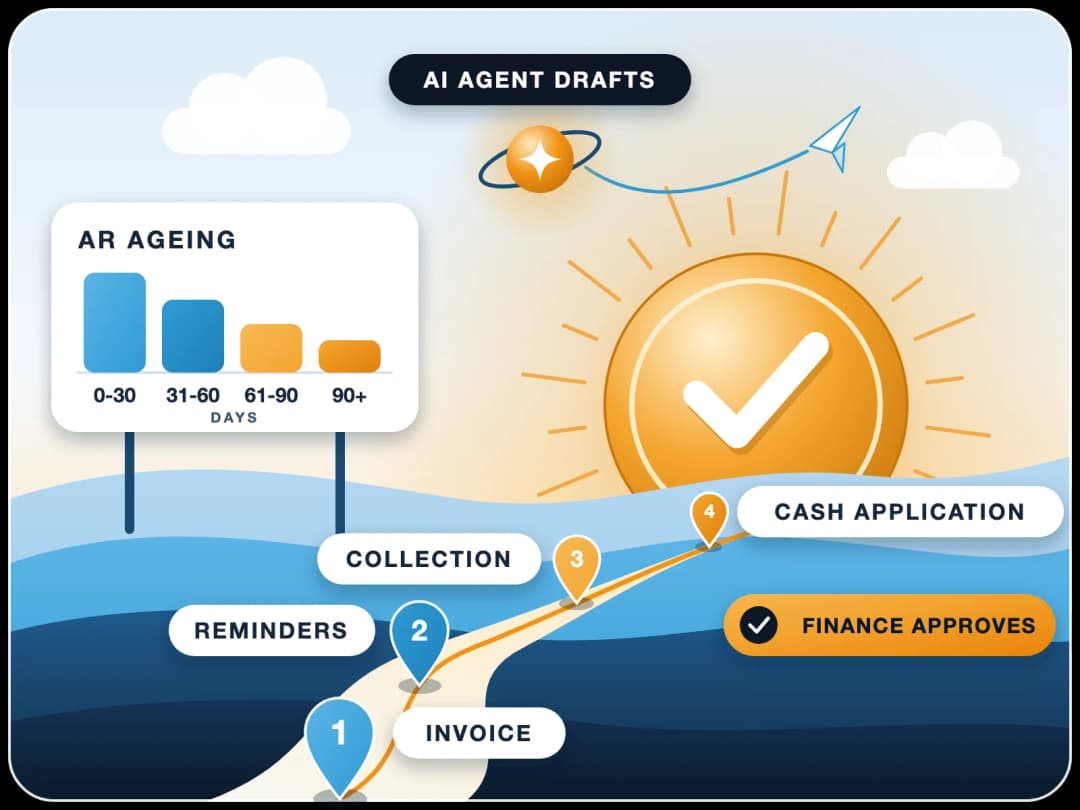
Read the guideReceivables with AI
Receivables, ageing and collections, and where AI helps the accounts team.
Read the guideHow does AI in ERPNext work: knowledge, model, agents?
Three layers. Each can change without rebuilding the others.
Knowledge: what the AI may know
A knowledge base built from your documents and ERPNext data, so answers come from your company, not from the internet.
Model: which AI does the thinking
Any major language model, chosen per task by quality and cost. You can bring your own keys, or run an open-weight model on your own server.
Agents: what the AI may do
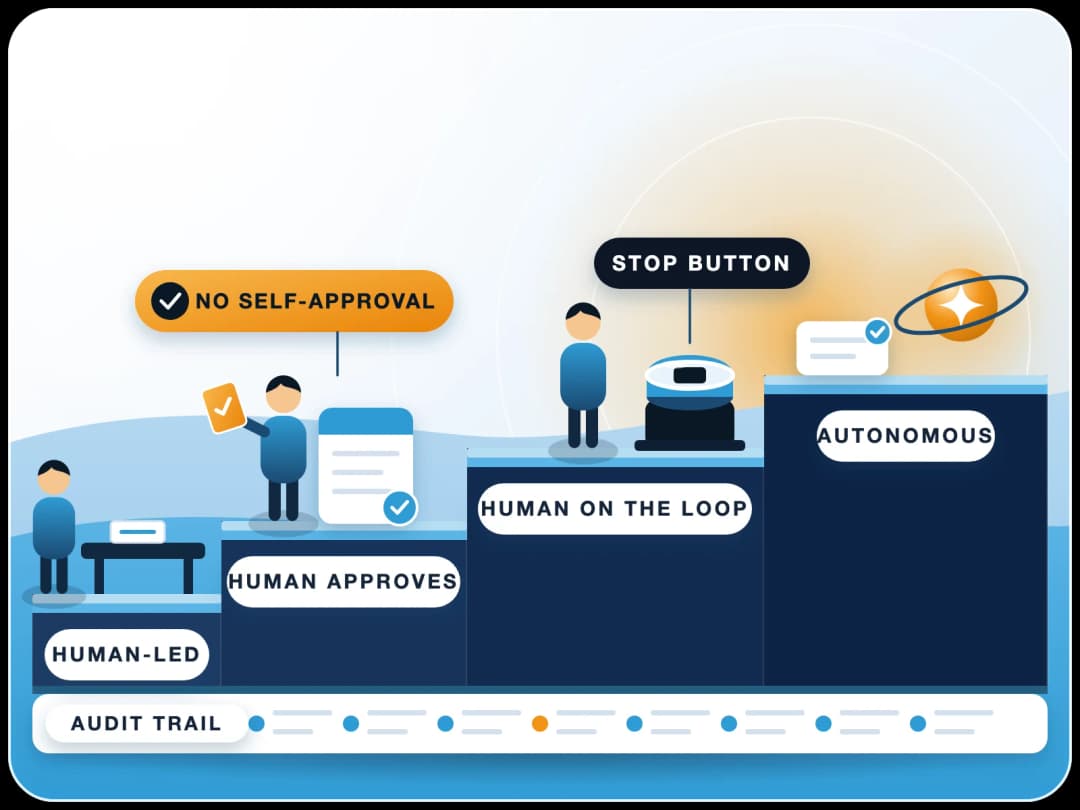
Task-specific agents with set inputs and outputs. They draft ERPNext records, send for approval and act only within the user's own permissions.
Why FinByz for ERPNext AI features?
An in-house ERPNext team since 2016, with AI engineers and accountants in the same team.
AI inside ERPNext
Agents, knowledge and chat run inside your ERPNext, not in a separate tool.
A person approves
Agents draft; a named user checks and submits anything that touches the books.
Clean data first
We fix masters and processes before adding AI, because AI on bad data makes bad drafts.
On ERPNext since 2016
We run our own company on ERPNext and use these agents in our own work.
Silver partner on frappe.io
Listed on frappe.io at PMM level 4.
No lock-in
The apps are open source; you choose and can change the model at any time.
What can AI do in ERPNext day to day?
Real tasks from client projects, anonymised. In every one, a person approves the result.
| Task | Input | What the AI drafts | Who approves |
|---|---|---|---|
| Sorting the inbox | Emails to the info and director mailboxes | Category, forward, new lead and opportunity | Sales team |
| Goods received | A photo of the delivery note sent on Telegram | Purchase receipt linked to the PO | Accounts |
| Exhibition contacts | A visiting card photo | Contact, company research, follow-up email | Salesperson |
| Card expenses | Credit card statement lines | Expense category for each line | Accounts |
| Questions on numbers | A chat message from a director | An answer from ERPNext, within that user's rights | Not needed: read only |
Is AI in ERPNext safe for company data?
Safer than pasting data into a personal chatbot, because it runs inside ERPNext with each user's rights.
Connecting a personal AI account to company data is the real risk. Inside ERPNext, the agent cannot read or change what its user cannot.
- User permissions. Every agent acts as a named user with that user's roles.
- Your keys. Model accounts can be in your company's name.
- Your server. Open-weight models can run where your data already lives.
- A trail. Every draft is a normal document with an owner and a history.
When should you add AI, and when is it too early?
AI goes alongside each module once that module's data is reliable, not as a big phase at the end.
Too early
Masters are messy, stock is not trusted, and people still keep side spreadsheets. Fix that first; AI would only draft from bad data.
Ready
One module runs cleanly, a task repeats every day, and someone owns the result. Start there with one agent.
Scaling up
The first agent is trusted and measured. Add the next task, often in the next module that went live.
How do you start with a pilot?
One task, a few weeks, a clear measure. Then decide.
- 1Pick one taskA repeated task with a clear input and output, such as inquiry emails or supplier bills.
- 2Check the dataMake sure the masters the agent needs (items, customers, suppliers) are clean.
- 3Build the agentSet its inputs, the record it drafts, and who approves it.
- 4Run it side by sideThe team keeps working as before while the agent drafts, so you can compare.
- 5Measure and decideCount the drafts accepted unchanged and the time saved, then widen or stop.
What does AI cost to run?
Model usage is billed at cost by the model provider, separate from our work, and can be very low.
The cost depends on the model and on how much text each task sends. Heavy jobs, such as searching a very large item list, are cost-tested before we switch them on.
Our time to build, set up and improve agents comes from the same monthly plan of hours as any other ERPNext work, with every hour visible in your Productify access. Guiding safe AI use is part of that plan, not an extra.
Want the wider picture beyond ERPNext? See our AI automation services.
Which task would you hand to AI first?
Tell us the task that eats the most time. A FinByz Tech consultant shows a working agent on a similar case, checks whether your data is ready, and plans a pilot. If it is too early for AI, we say so and suggest what to fix first.
- A short call about the task and your data.
- A demo of a similar agent inside ERPNext.
- A pilot plan with one clear measure.
- A proposal with monthly goals, if it fits.