Workflow Transition
Track document state changes with visual indicators, automated reminders, and comprehensive reports. Ensure accountability and transparency in your workflow with real-time insights and notifications.
Introduction
This document describes the workflow transition system that tracks document state changes, sends automated reminders, and generates reports on workflow performance.
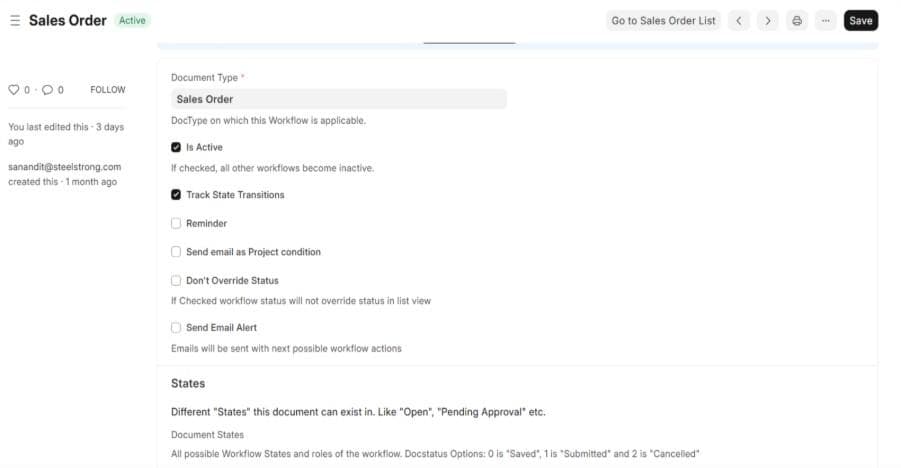
1. Workflow State Tracking
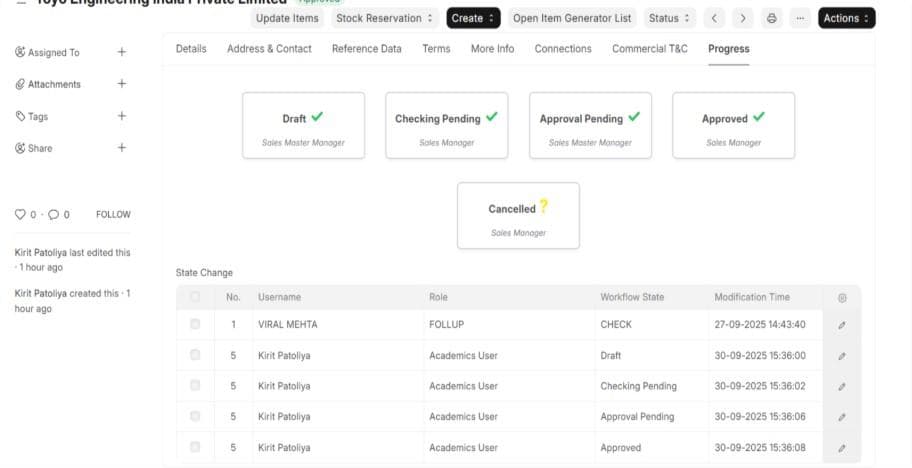
Visual Indicators
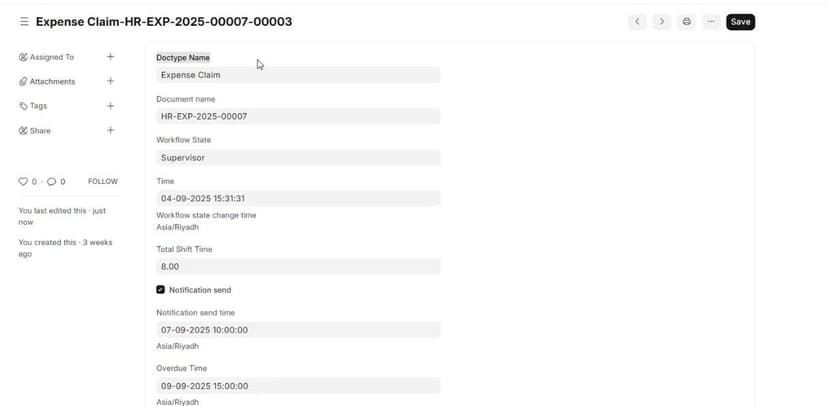
When a document moves through different workflow states, the system displays visual status indicators:
These indicators appear in a checkbox section within any DocType that has workflow states enabled, providing immediate visual feedback on document status.
2. Automated Reminder System
Configuration
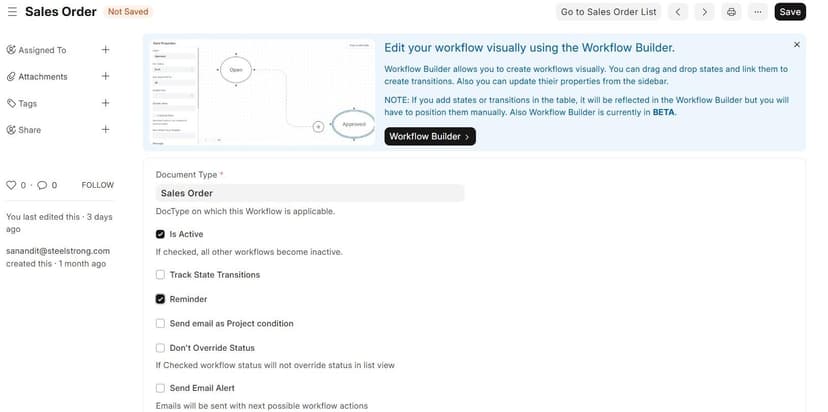
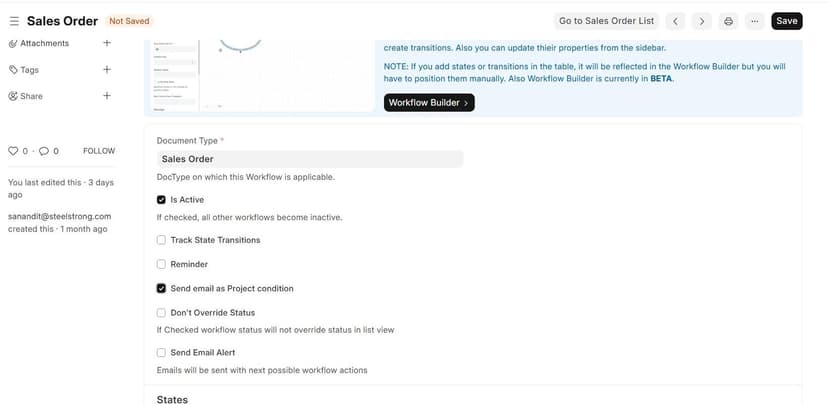
The reminder system is activated by checking the Reminder checkbox in the workflow configuration.
Functionality
When the reminder checkbox is enabled:
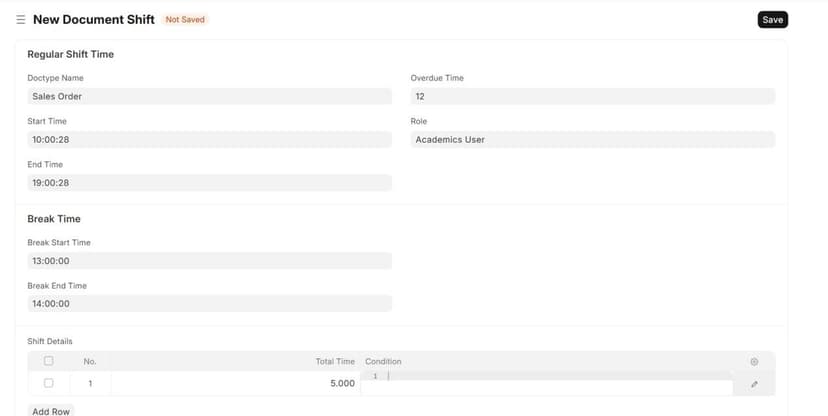
The system monitors documents based on the Shift Details DocType
Automated email notifications are sent according to specified time intervals
Reminders are triggered when no state changes occur within the defined timeframe
Overdue Notifications
Emails are sent based on Role assignments
Only users with the specified role receive overdue notifications
The system runs daily at 12:00 AM to check for overdue items
Project-Based Permissions
When the Sales Mail Project Condition checkbox is enabled:
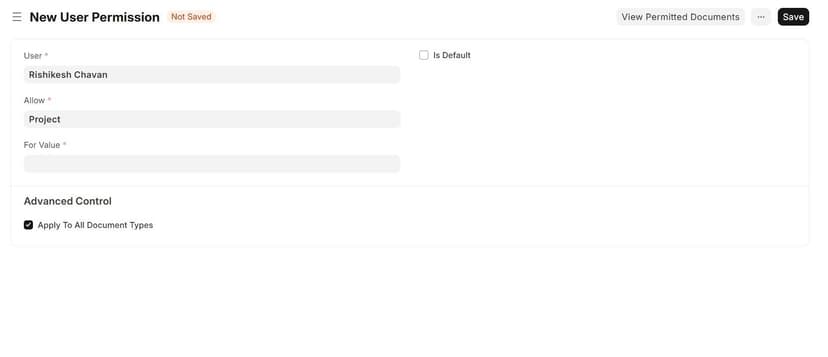
The system respects project-level permissions in addition to role assignments
Example: If 100 users have the "Sales Invoice" role, but only 10 users have permissions for a specific project, only those 10 users will receive the notification
This ensures users only receive emails for documents they have access to
3. Workflow Performance Reports
The system provides three comprehensive reports to track workflow efficiency and user activity.
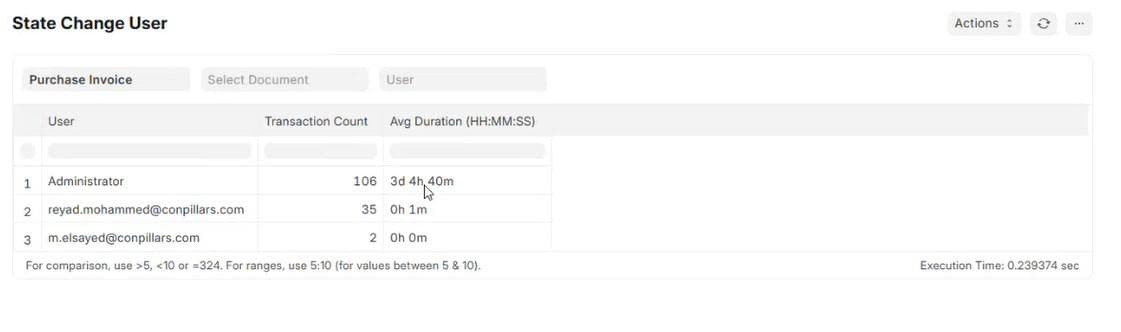
3.1 State Transition Time Report
Purpose: Tracks the time taken for documents to move from one state to another.
Details:
Shows how long each document spent in different workflow states
Displays time duration for individual entries
Useful for identifying bottlenecks in the workflow process
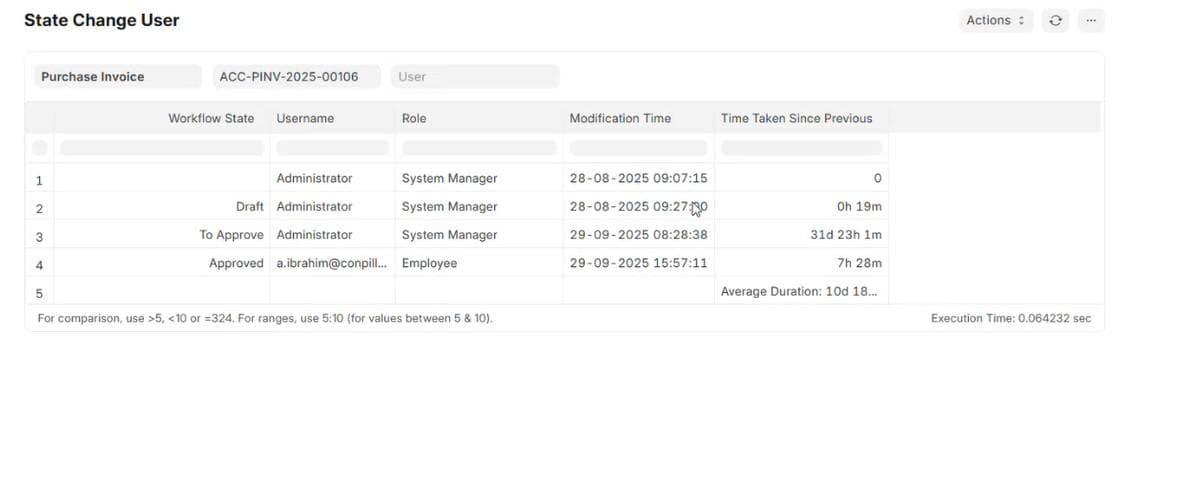
3.2 Average State Transition Time Report
Purpose: Provides average time statistics for state transitions across all documents.
Details:
Calculates average duration for transitions between specific states
Example: "Draft to Approve" might show an average of 31 days
User-wise breakdown showing how long each user typically takes to complete transitions
Helps establish baseline metrics for workflow performance
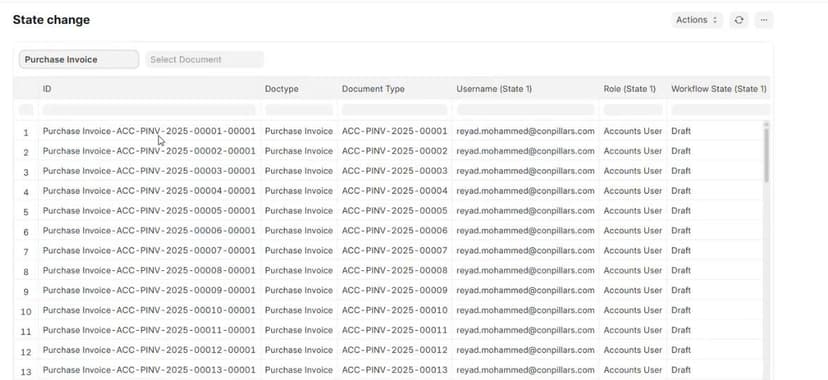
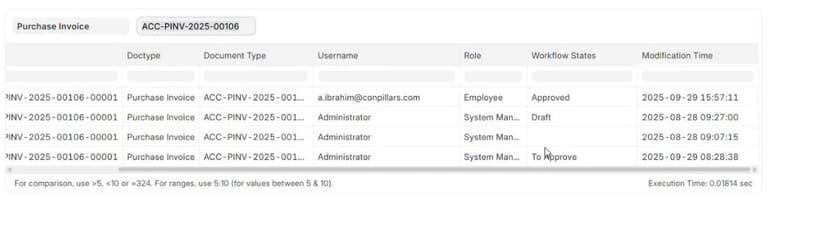
3.3 State Change Report
Purpose: Comprehensive audit trail of all workflow state changes.
Key Features:
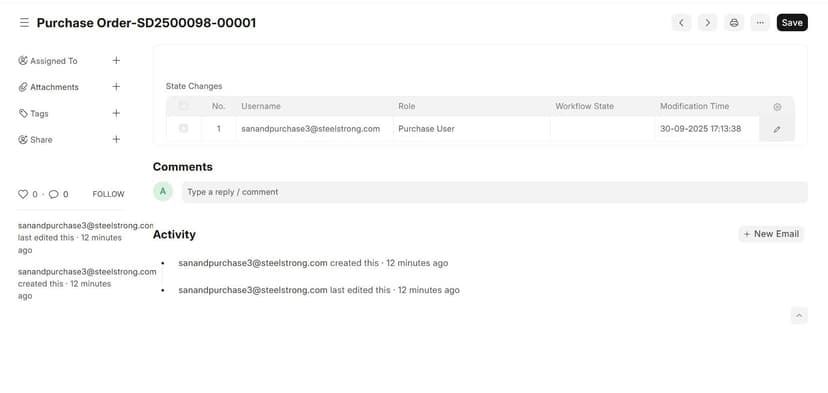
User Activity Tracking: Shows which user changed which workflow state
Document-Level Details: Filter by specific document to see its complete state change history
Complete Information: Displays all relevant information about each state transition including user, timestamp, previous state, new state, and document reference
- Audit workflow changes for compliance purposes
- Track individual user activity and productivity
- Investigate workflow delays or issues with specific documents
- Generate accountability reports
4. System Requirements
Daily Operations
The reminder system executes daily at 12:00 AM
No manual intervention required once configured
Automatically processes all active workflows
User Permissions
Role-based access controls determine email recipients
Project permissions further refine notification distribution
Users only receive notifications for documents they have access to
5. Benefits
- Clear visibility into workflow bottlenecks
- Performance metrics for team evaluation
- Automated compliance and audit trails
- Timely reminders prevent missed deadlines
- Reduced manual follow-up required
- Clear status indicators for document progress
- Improved workflow efficiency
- Better resource allocation based on data
- Enhanced accountability and transparency
Conclusion
This workflow transition system provides comprehensive tracking, automated notifications, and detailed reporting to ensure smooth document processing and accountability across the organization. By leveraging role-based permissions and project-specific access controls, the system ensures relevant stakeholders stay informed while maintaining data security.