Making Tax Digital for VAT in ERPNext
Every VAT-registered UK business must keep digital records and file VAT returns to HMRC through compatible software. ERPNext does this with a Making Tax Digital app that connects to HMRC's VAT API; we configure the VAT boxes, the HMRC connection and the filing workflow.
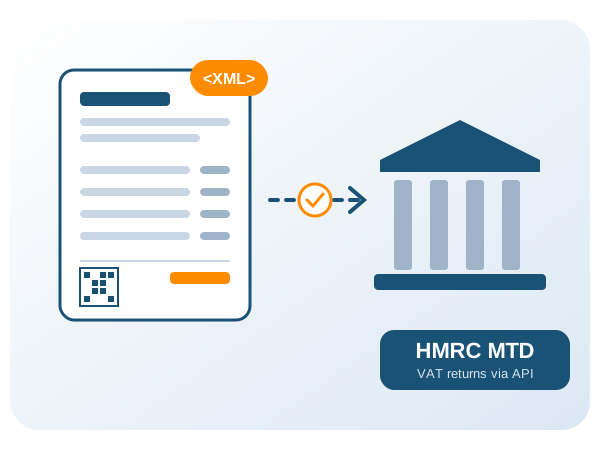
- Who
- All VAT-registered businesses
- Since
- April 2022
- Filing
- HMRC MTD VAT API
- ERPNext
- Versions 15 and 16
What Is Making Tax Digital for VAT?
Making Tax Digital (MTD) for VAT is HMRC's rule that VAT records must be kept digitally and VAT returns must be submitted from compatible software through HMRC's API, with digital links between the records and the return. Returns can no longer be typed into the HMRC website.
It applies to every VAT-registered business, whatever its turnover, since April 2022.
Who Must Use Making Tax Digital for VAT?
MTD for VAT was introduced in two steps.
| Date | Who | What changes |
|---|---|---|
| Apr 2019 | VAT-registered businesses above the VAT threshold | Digital records and returns filed through compatible software. |
| Apr 2022 | All VAT-registered businesses | MTD for VAT extended to every VAT-registered business. |
Status as of 9 November 2026. Authorities change dates and thresholds; check the official sources before you plan.
What Does MTD-Compatible Software Need to Do?
- Keep VAT records digitally, with digital links (no copy-and-paste between systems).
- Read your VAT obligations (periods due) from HMRC.
- Calculate the nine VAT return boxes from your records.
- Submit the return to HMRC through the MTD VAT API and keep the receipt.
- Send HMRC fraud-prevention headers with every API call.
Can ERPNext File VAT Returns to HMRC?
Yes. The Making Tax Digital app on the Frappe Cloud marketplace (ERPNext 15 and 16) connects ERPNext to HMRC using OAuth and the VAT API.
- Sync of VAT obligations from HMRC.
- VAT return built from ERPNext transactions with configurable box mapping (boxes 1-9).
- Submission to HMRC with the receipt stored against the return.
- HMRC fraud-prevention headers sent with each call.
- UK VAT setup in ERPNext: standard, reduced, zero-rated, exempt and reverse-charge templates.
Before go-live we confirm that the app version you run is listed as compatible software by HMRC and passes the fraud-prevention header checks.
How Do We Set Up MTD for VAT in ERPNext?
- 1Gap checkWe review your ERPNext version, invoice types, customers and current tax setup against the rules that apply to you, and list what must change before the deadline.
- 2SetupInstall the MTD app, connect it to your HMRC account and map ERPNext tax accounts to the nine VAT boxes.
- 3Master dataTax IDs, VAT categories, item tax templates, addresses and customer identifiers cleaned so every invoice validates first time.
- 4TestTest returns against HMRC's sandbox and reconcile the boxes with your ERPNext ledgers before the first live filing.
- 5Go-live and supportCut-over, user training and monitoring of rejected or failed documents, with support after go-live.
Why Work With FinByz
- Certified ERPNext and Frappe partner with 50+ in-house consultants and developers.
- 200+ projects for clients in 15+ countries since 2016.
- We set up, test and support the open-source compliance apps, and build the connectors that are missing.
- Monthly engagement: size the team to your deadline and scale down after go-live.