AI in Manufacturing: 12 Use Cases That Run on Your ERP Data
AI in manufacturing pays off first in planning, purchasing, quality and maintenance, where a model reads records you already keep and suggests the next move. Here are 12 use cases, the ERP data each one needs, and a start-small plan.

- Large US manufacturers using AI or ML at facility or network level (Deloitte, 2025)
- 29%
- Piloting generative AI in the same survey
- 38%
- Use cases in this guide, each mapped to ERP data
- 12
- Use cases in the first three months of our start plan
- 3
Where things stand
How is AI used in manufacturing today?
In short
Most of the manufacturing industry is still early with AI. Every use case that works runs on ERP data: sales orders, BOMs, work orders, job cards, stock ledgers and inspection readings. If that data is patchy, the AI is guessing.
In Deloitte's 2025 Smart Manufacturing and Operations Survey of 600 executives at large US manufacturers (surveyed August to September 2024, published 1 May 2025), 29% said they use AI or machine learning at the facility or network level. Another 23% were piloting it. For generative AI the numbers were 24% deployed at that scale and 38% piloting.
What smart manufacturing delivered, on average
Deloitte's survey also reports what smart manufacturing programmes as a whole delivered since implementation. Those figures cover the whole smart-factory push, cloud, analytics, IoT and AI together, not AI on its own.
Read them as a ceiling for a well-run programme, not a promise for one tool.
- 10-20%
- Production output
- 7-20%
- Employee productivity
- 10-15%
- Unlocked capacity
Vendors are moving towards the ERP
Anthropic: Claude for Manufacturing
A session scheduled for 17 November 2026 shows Claude drafting the quote, the non-conformance report and the morning report from plant records, with the plant's experts approving them. The page is explicit that nothing writes to production control or a system of record on its own.
IFS and Anthropic: Resolve
Announced on 13 November 2025, an industrial AI tool for maintenance that reads schematics, sensor data, images and technician notes, then warns of likely failures and suggests repairs.
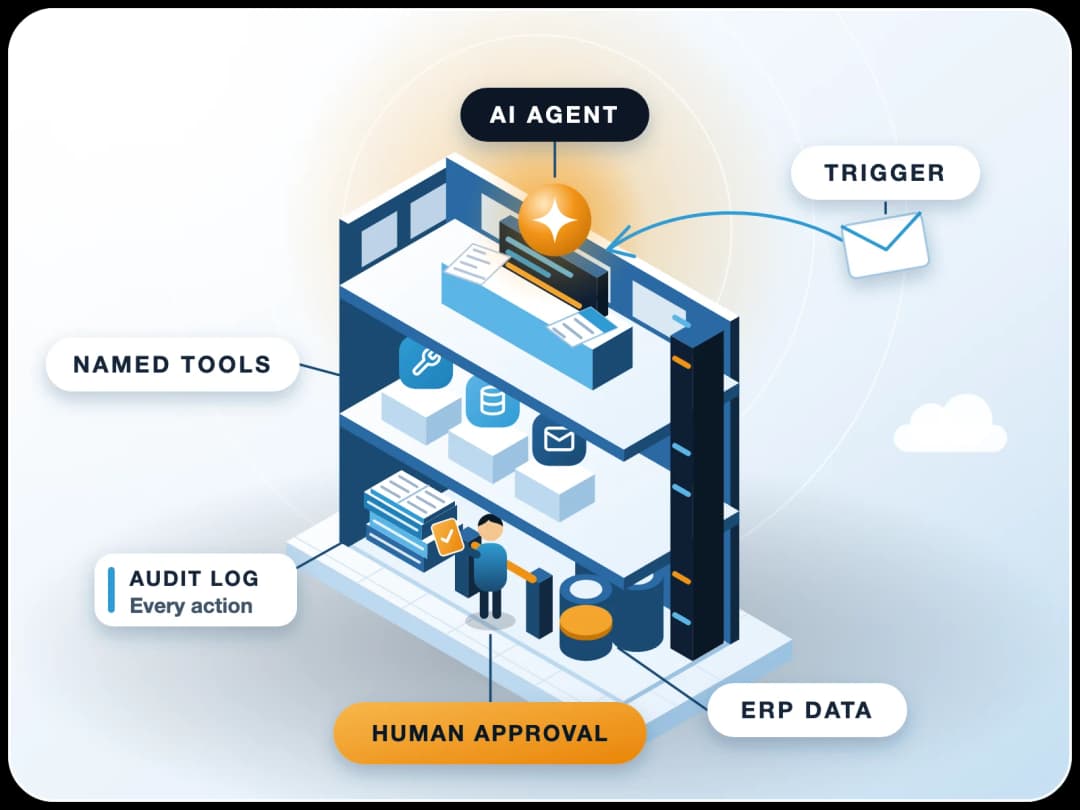
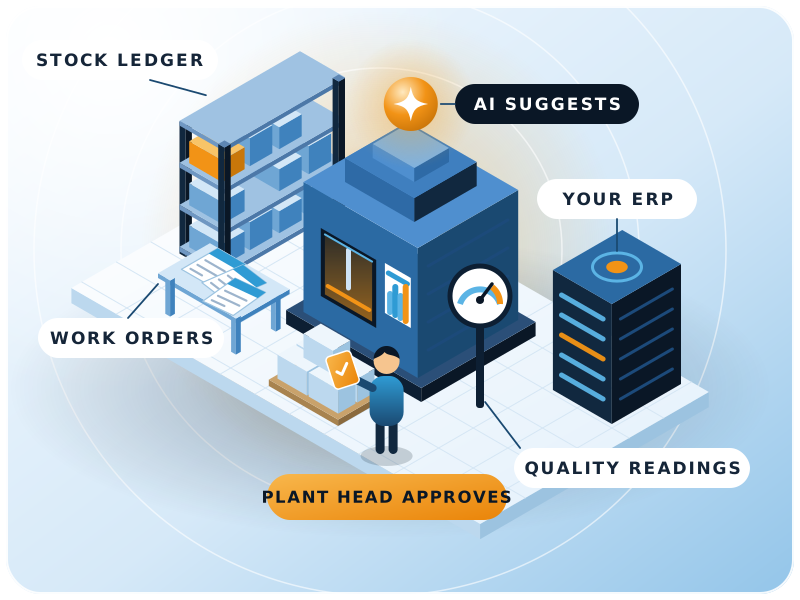
Notice the pattern in both: AI prepares, a person approves, and the ERP stays the record.
AI use cases in manufacturing
Which AI use cases in manufacturing pay off first?
Our pick
Start with the ones where your data is already clean. For most plants that's the daily morning report, cost variance alerts and non-conformance report drafts. These are the 12 we see most often in ERPNext projects.
| # | Use case | ERP data it needs | Who decides |
|---|---|---|---|
| 1 | Demand forecasting | 2-3 years of sales orders and invoices by item, customer and month | Sales and planning head |
| 2 | Production planning and scheduling | Production Plans, Work Orders, BOM operations, workstation hours | Planner |
| 3 | Reorder and purchase suggestions | Stock ledger, reorder levels, supplier lead times, BOMs | Purchase |
| 4 | Supplier delivery and price watch | Purchase Orders, receipt dates vs schedule dates, price history | Purchase |
| 5 | Quality trend analysis | Quality Inspection readings and rejections by item, supplier and batch | Quality head |
| 6 | Non-conformance report drafts | Rejected inspections, job cards, batch numbers | Quality head |
| 7 | Predictive maintenance | Downtime Entries, asset maintenance logs, machine sensor data | Maintenance head |
| 8 | Cost variance alerts | BOM cost vs actual material and operating cost on manufacture entries | Finance and plant head |
| 9 | Quote and estimate drafts | BOMs, past quotations, item prices, operation costs | Sales and estimating |
| 10 | Daily morning report | Work Orders completed, job cards, downtime, shortages | Plant head |
| 11 | Shop-floor assistant | Live Work Order status, job cards, stock levels, SOP documents | Supervisors |
| 12 | Document reading for inward paperwork | Supplier invoices, delivery challans, test certificates | Accounts and stores |
Planning: forecasting, scheduling and reorders
1. Demand forecasting
2. Production scheduling
3. Reorder suggestions
Purchase and supplier risk
4. Supplier delivery and price watch. Compare each Purchase Order's schedule date with the actual Purchase Receipt date, and you have a supplier reliability score you didn't have to build by hand. Add price history and rejection counts, and the AI can tell purchase which supplier is slipping before the line stops.
Typical mistake: back-dated receipts. The supplier score only works if the Purchase Receipt is entered on the day goods arrive. Back-dated entries hide late deliveries.
Quality: trends and NCR drafts
5. Quality trend analysis
6. Non-conformance report drafts
Maintenance
7. Predictive maintenance gets the most attention and needs the most data. Inside the ERP you have Downtime Entries and asset maintenance logs. Real prediction usually also needs machine signals from sensors or a PLC, which most mid-size plants don't yet collect.
IFS's press release on Resolve gives a sense of the starting point at one plant. If you can't say what your own figure is, start by recording every downtime with a reason in the ERP. That record is the training data later.
- 38%
- Repairs that were emergency, not proactive, at William Grant & Sons before Resolve (IFS)
Data predictive maintenance needs
- Downtime Entries with reasons
- Asset maintenance logs
- Vibration
- Temperature
- Motor current
Cost and commercial
8. Cost variance alerts
9. Quote and estimate drafts
Shop floor and paperwork
10. The morning report
11. Shop-floor assistant
12. Document reading
Data first
What data must be in the ERP before AI helps?
Short answer
The transactions that describe what actually happened on the floor, entered on the day they happen. In our implementation work, the gaps that block AI projects are rarely about the model. They're about records.
These are the usual ones:
- Job cards not closed. Without time logs per operation, scheduling and cost variance have nothing to learn from.
- Material issued in bulk. If raw material moves to the floor in one weekly transfer instead of against Work Orders, consumption per order is invented.
- Duplicate items and loose BOMs. Forecasting and reorder suggestions inherit every duplicate.
- No downtime reasons. "Breakdown" as the only reason tells a model nothing.
- Inspection readings on paper. Quality analysis needs the numbers in Quality Inspection, not a scanned sheet.
Fix these first. It isn't glamorous, but it's also what makes your ordinary ERP reports trustworthy, so the work pays off even before any AI is switched on. Our guide to the benefits of ERP for manufacturing covers the base setup.
Integration
How do you integrate AI into existing manufacturing processes?
In short
You add AI beside the ERP, not inside every screen: an AI agent with read access to ERP data through the API, a short list of jobs it may do, and a person who approves anything that changes a record. For the architecture, see our piece on deploying enterprise AI agents on ERP.
A few rules we follow:
Read first, write later
Use the ERP's own permissions
Keep a log
One number per use case
Start small
How should a small or mid-size manufacturer get started?
Here's the plan we suggest to plants with 50 to 500 people. It assumes ERPNext, but the order works on any ERP.
- 1Weeks 1-2: data checkPull 3 months of Work Orders, job cards, stock entries and inspections. Count how many are complete and entered on time. That tells you which use cases are possible now.
- 2Weeks 2-4: one reporting use caseThe morning report or cost variance alerts. Read-only, low risk, visible every day.
- 3Month 2: one drafting use caseNCR drafts, quote drafts or document reading. A person approves every draft.
- 4Month 3: one planning use caseReorder suggestions or schedule suggestions, compared side by side with what the planner did.
- 5ReviewKeep what moved its number. Drop what didn't. Then fix the next data gap and add the next use case.
Three use cases in three months, each measured, beats a factory-wide AI plan that never leaves the slide deck.
Limits
When is AI in manufacturing the wrong tool?
Be honest about where it doesn't fit:
No transaction history
Safety-critical decisions
Machine control
A broken process
Next step
Where FinByz fits
FinByz has implemented ERPNext since 2016, across 200+ projects in 15+ countries, with a 50+ person in-house team. For manufacturers we set up ERPNext manufacturing properly first (BOMs, routings, job cards, quality and stock), then add AI agents on ERPNext for the use cases above through our AI automation services.
If you want to know which of the 12 your data can support today, talk to us. We'll start with the data check.
- Data check of Work Orders, job cards, stock and inspections
- ERPNext manufacturing set up properly first
- AI agents with ERP permissions and approvals
- One measured use case at a time
Sources
- Deloitte: 2025 Smart Manufacturing and Operations Survey, published 1 May 2025
- Anthropic: Claude for Manufacturing: Put your plant's know-how to work, webinar scheduled 17 November 2026
- IFS: IFS partners with Anthropic to develop industrial AI solutions, press release, 13 November 2025
- Frappe: ERPNext Production Plan documentation, read 16 November 2026
- Frappe: ERPNext Quality Inspection documentation, read 16 November 2026
- Frappe: ERPNext Downtime Entry documentation, read 16 November 2026
- Frappe: ERPNext Asset Maintenance documentation, read 16 November 2026