Cloud ERP System: What It Is, Benefits and the Best Cloud ERP Software
A cloud ERP system runs on the provider's servers and is used in a browser on subscription. Compare cloud vs on-premise, top cloud ERP software and costs.
A cloud ERP system is ERP software hosted on the provider’s servers and used through a browser on a subscription, instead of being installed on your own hardware. It covers the same functions as on-premise ERP — accounting, inventory, sales and HR — with lower upfront cost, automatic updates, access from any device and easy scaling.
Cloud ERP, or cloud based ERP software, is a modern business management solution that integrates essential functions such as accounting, inventory, sales, and HR into a centralized platform hosted on the cloud. This guide explains how a cloud ERP system works, how it compares with on-premise ERP, which cloud ERP software leads the market and how to choose and move to one.
What Is a Cloud ERP System?
A cloud ERP system keeps your business data and the ERP application in a data centre run by the vendor or a hosting partner. Your team signs in through a browser or mobile app, and the provider looks after servers, backups, security patches and version upgrades. You pay a monthly or yearly fee per user or per company instead of buying licences and hardware up front.
There are four common ways to run ERP in the cloud:
- Public SaaS (multi-tenant): many customers share one platform that the vendor upgrades for everyone, for example NetSuite or Dynamics 365 Business Central.
- Private or single-tenant cloud: your own instance on a cloud server, so you control upgrade timing and customisation.
- Hybrid cloud ERP: some parts run in the cloud (for example finance and sales) while others stay on-premise (for example plant systems), linked by integrations.
- Hosted open-source ERP: an open-source system such as ERPNext or Odoo Community run on a cloud server by you or a partner, with no licence fee.
Cloud ERP vs On-Premise ERP
| Point | Cloud ERP | On-premise ERP |
|---|---|---|
| Upfront cost | Low: subscription, no servers to buy | High: licences, servers and set-up |
| Running cost | Recurring subscription, usually an annual contract | IT staff, power, hardware refresh, upgrade projects |
| Upgrades | Done by the provider | Planned and paid for by you |
| Access | Any device with an internet connection | Office network or VPN |
| Scaling | Add users, companies or locations without new hardware | Often needs new hardware |
| Control and customisation | Limited on public SaaS; full on private or open-source cloud | Full control |
| Best for | Most small and mid-size businesses, remote and multi-site teams | Strict data-residency rules or plants with poor connectivity |
Benefits of a Cloud ERP System
The main benefits of a cloud ERP system are:
1. Accessibility: With cloud ERP, access your data and business applications securely from any device with an internet connection. This enhances remote collaboration and enables real-time decision-making.
2. Cost-Efficiency: Eliminate the high upfront investment in hardware and reduce IT maintenance costs. Cloud ERP operates on a subscription model, making it a scalable and budget-friendly solution for businesses of all sizes.
3. Scalability: As your organization grows, the best cloud ERP platforms allow you to add users, features, and locations with ease without additional infrastructure.
4. Security: Providers manage encryption, backups and security patching. Ask for the vendor’s or hosting partner’s SOC 2 or ISO 27001 report before you sign.
5. Real-time Insights: Instantly generate reports and gain valuable insights through dashboards and performance tracking tools built into most cloud ERP solutions.
Best Cloud ERP Software Solutions Compared
The cloud ERP systems most often shortlisted are Oracle NetSuite, Acumatica, Microsoft Dynamics 365 Business Central and SAP S/4HANA Cloud, with Odoo and ERPNext as the open-source options. All cover finance, inventory, purchasing and sales; they differ in licence model, hosting choice and how much you can change.
| Cloud ERP | Licence model | Hosting | Best fit |
|---|---|---|---|
| Oracle NetSuite | Annual subscription | Vendor cloud only | Fast-growing mid-size companies with several entities |
| Acumatica | Priced by resources used, not per user | Vendor or partner cloud | Distribution, construction and manufacturing firms with many occasional users |
| Microsoft Dynamics 365 Business Central | Per-user subscription | Microsoft cloud (on-premise option) | Small and mid-size firms already on Microsoft 365 |
| SAP S/4HANA Cloud | Subscription | SAP cloud | Large enterprises and SAP customers moving off ECC |
| Odoo | Free Community edition; per-user Enterprise subscription | Odoo cloud, partner cloud or self-hosted | Companies that want to start with a few apps and add more |
| ERPNext | Open source, no licence fee | Frappe Cloud, any cloud server or on-premise | Small and mid-size firms that want a full ERP, low running cost and freedom to customise |
For a detailed head-to-head, see ERPNext vs Odoo.
How Much Does a Cloud ERP System Cost?
Cloud ERP cost has two parts: the recurring fee and the one-time project. Pricing varies widely by vendor and is usually quoted per user per year, so get written quotes for the same user count and modules. The recurring fee depends on the number of users, the modules you need and the hosting plan; open-source ERPNext has no licence fee, so you pay only for hosting and support. The one-time project covers data migration, set-up of your workflows, reports, integrations and training, and is usually the larger share in the first year. Compare the total over three to five years, not just the monthly price.
How to Choose the Right Cloud ERP
- Fit with your industry: check manufacturing, trading, services or project features against your real processes in a demo with your own data.
- Customisation: can you add fields, workflows and reports without paying for every change?
- Data ownership and exit: can you export all your data, or move to another host, if you leave?
- Local compliance: GST, VAT, e-invoicing and payroll rules for every country you trade in.
- Integrations: e-commerce, banks, shipping, CRM and the other tools you already use.
- Implementation partner: a partner who knows your industry and will support you after go-live.
Moving From On-Premise or Legacy ERP to the Cloud
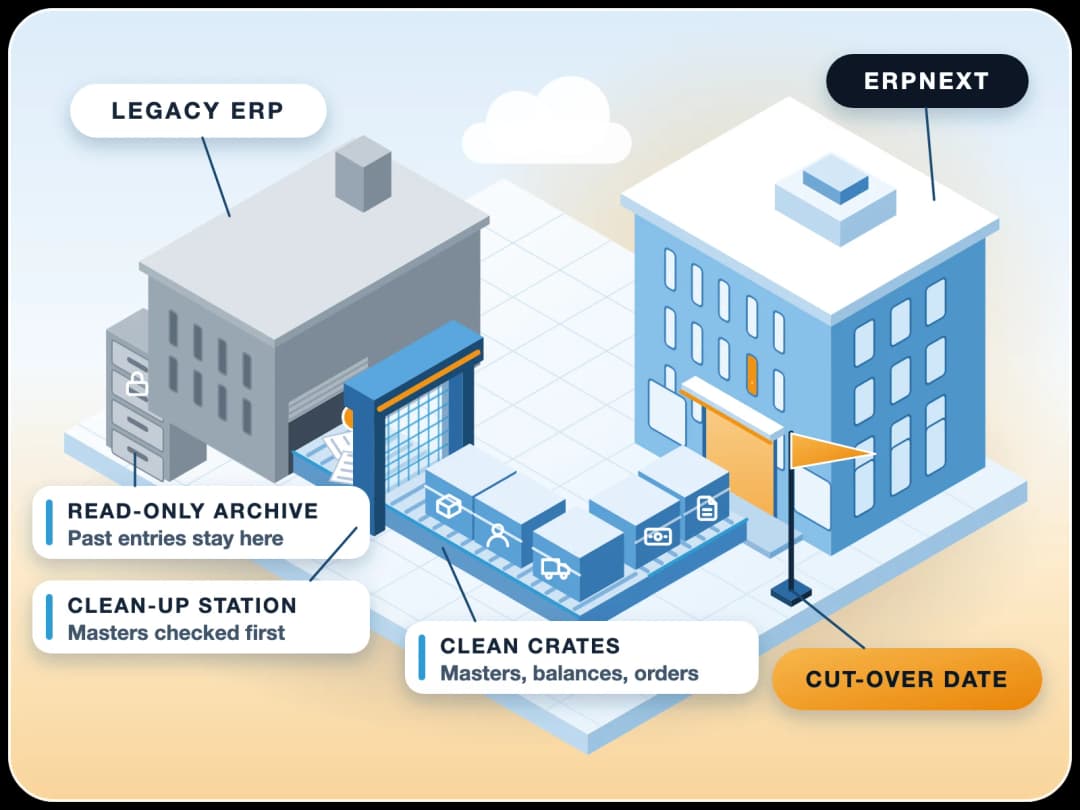
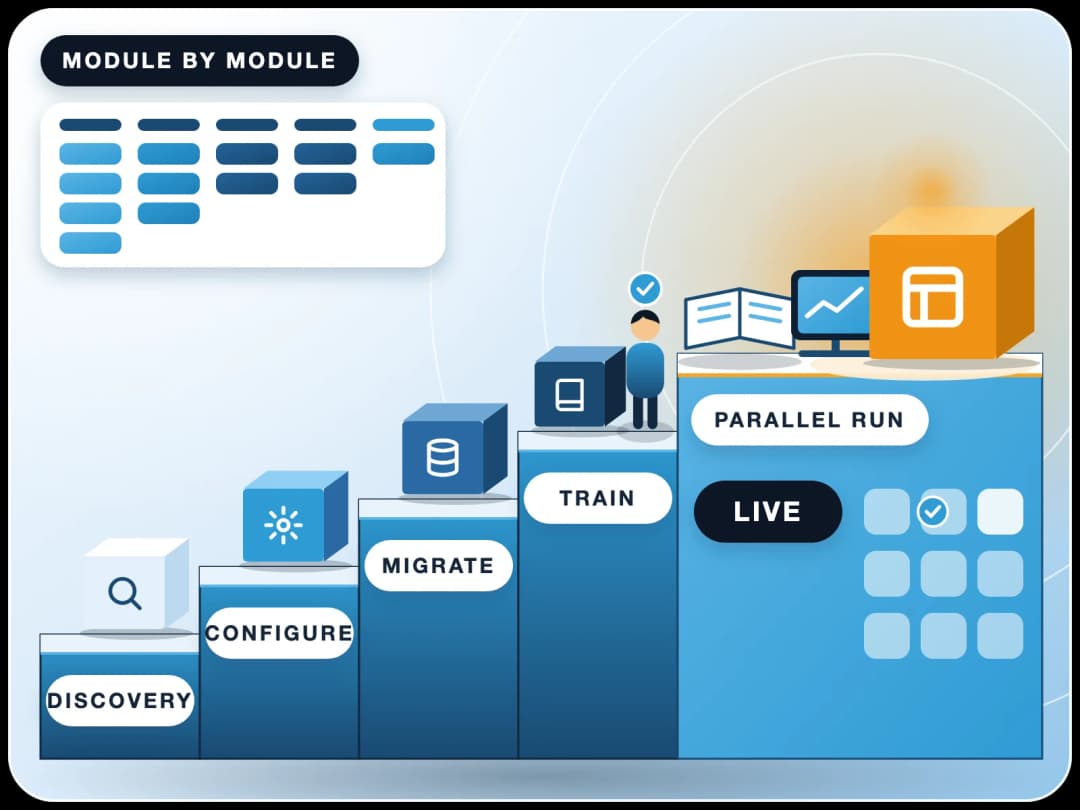
- Assess: list current processes, custom reports and integrations, and decide what to keep.
- Clean data: masters (customers, suppliers, items) and opening balances before migration.
- Configure and test: set up the cloud ERP and run a full cycle — order to cash, purchase to pay, month-end — with real data.
- Train and go live: train key users first, go live at a period start and run support close by for the first month.
Read how companies upgrade an old ERP to cloud ERP, or see our ERP migration service.
Why Cloud ERP Is the Future
As companies strive for agility and innovation, cloud ERP solutions are becoming essential tools for modern enterprises. Here’s why the best cloud ERP is a strategic investment:
- Flexibility: Easily adapt your ERP environment to new processes, regulations, or market demands.
- Global Scalability: Support international operations with multi-currency, multi-language, and time zone capabilities critical for global teams.
- Cost Optimization: Free up internal IT resources and lower total cost of ownership through efficient cloud deployments.
When On-Premise ERP Is Still the Better Choice
Cloud ERP suits most small and mid-size companies, but on-premise or a private server can still be the right call if a law or customer contract requires data to stay on your own servers, or if a plant has an unreliable internet connection. Open-source ERPNext runs either way, so you can start on-premise and move to the cloud later without changing systems.
FinByz implements and supports ERPNext as a cloud ERP for companies in the US, UK, Europe, the Gulf and India. See how our implementation works.