On-Premise ERP Systems: When to Self-Host and How ERPNext Does It
On-premise ERP systems run on servers your company controls, and your own team installs, secures, backs up and upgrades them. Self-host when control, data rules or local equipment matter more than the work of running servers. For most companies, a managed cloud is simpler.

- ERPNext licence
- GPL-3.0, no fee
- Frappe v16 database
- MariaDB 11.8
- Supported servers
- Debian 13+, Ubuntu 24.04+
- India DPDP Rules notified
- 13 Nov 2025
The basics
What is an on-premise ERP system?
In one line
An on-premise ERP is installed and run on computers your organisation controls, not in a vendor's cloud. The database, the application and the files all sit on hardware you own or rent (Wikipedia).
In daily use the word has grown a little wider. Many IT teams also call it on-premise, or self-hosted, when the ERP runs on a virtual server in their own AWS, Azure or Google Cloud account. The building changes. The duty doesn't.
Your own server room
Hardware in your office or a data centre you rent space in. You own power, network and spares too.
Your own cloud account
A virtual server you rent from a cloud provider. No hardware to buy, but the OS, database and backups are still yours.
So the useful question isn't "server room or cloud?" It's "who runs the ERP, us or the vendor?" Whoever owns the patches, backups and upgrades is the one self-hosting.
Compare
On-premise vs cloud vs hybrid ERP: how do they compare?
| On-premise (self-hosted) | Cloud (managed / SaaS) | Hybrid | |
|---|---|---|---|
| Who runs servers | Your IT team | The vendor or hosting partner | Split: core on one side, some parts on the other |
| Where data lives | Your hardware or your cloud account | The provider's data centre, usually in a region you pick | Both, by design |
| Upfront spend | Hardware or VM, set-up time | Low; monthly fee | Mixed |
| Upgrades | You plan, test and run them | The provider handles them | Each side on its own cycle |
| Customisation | Full access to code and database | Depends on the product; open-source ERP stays open | Full on the self-hosted side |
| Works without internet | Yes, inside your network | No | Partly |
| Main risk | Skills, backups and patching depend on your team | Dependence on the provider and the internet link | Two systems to keep in sync |
Hybrid is common in factories. The ERP runs in the cloud while a small local server talks to weighbridges, machines or the barcode network, then syncs with the ERP. If you're moving from an older on-premise system, our piece on upgrading an old ERP to cloud ERP covers the other direction, and why many companies choose cloud ERP makes the case for the cloud side.
Cost
What does on-premise ERP really cost?
The software licence is only one line. With a proprietary ERP you usually pay for licences and yearly maintenance. With ERPNext there's no licence fee, on your server or anyone else's.
The lines people forget sit outside the licence. We won't put a number on them, because it depends on users, data size and the staff you already have.
GPL-3.0
ERPNext is free and open source. Frappe offers a self-host path and its own managed hosting, Frappe Cloud (Frappe).
| Cost line | On-premise | Managed cloud |
|---|---|---|
| Software licence | Per user or per server for proprietary ERP; none for ERPNext | Usually in the subscription |
| Server and storage | Buy hardware or rent a VM; plan for growth | In the plan |
| Backups and off-site copies | You set up, store and test them | Usually included; check restore options |
| Security patches and OS upgrades | Your team, every month | Provider |
| ERP version upgrades | Your team, with testing on a copy | Provider, often scheduled |
| Power, network, UPS (own rack) | Yours | None |
| People | A sysadmin or partner on call | Less, but someone still owns the ERP |
The honest test: if nobody on your team will own patching and restore tests month after month, the cheap option on paper becomes the risky one in practice.
Compliance
Do data residency rules require on-premise ERP?
Usually not
Most rules care about where data is stored and how it crosses borders. A cloud region in the right country often meets them. Here is the picture as of November 2026.
India
European Union
Sector rules
Treat this as a starting map, not legal advice. Ask counsel what your contracts and regulators actually say before you buy servers for compliance alone.
Decide
When should you self-host your ERP?
Self-hosting tends to make sense when one or more of these is true:
- A contract, regulator or parent company requires the data on infrastructure you control.
- Sites lose internet often, yet invoicing, dispatch or production must keep running.
- The ERP has to talk to local machines, scales or legacy systems on the plant network.
- You already run servers well, with a sysadmin, monitoring and tested backups.
- You want full database access for heavy reporting or custom integrations.
When not to self-host
Nobody owns the server
"Control" is the only reason
In our ERPNext work we lead with Frappe Cloud for exactly this reason: updates and backups are handled. We set up on-premise when the client asks for it or a rule demands it.
How-to
How do you self-host ERPNext?
ERPNext runs on the Frappe Framework and is managed with bench, Frappe's command-line tool for installing, updating and managing sites (frappe/bench). This is the path we follow.
- 1Pick the install methodThe bench README recommends Docker for production. The official frappe_docker repo has a
compose.yamlfor production and apwd.ymlfor short trials only, where custom apps can't be installed. A direct bench install suits teams with custom apps who want to work with the files. - 2Prepare the serverFrappe supports Debian and Ubuntu (plus macOS for development) and asks for Debian 13+ or Ubuntu 24.04+ (Frappe docs). It doesn't publish a fixed RAM figure, so size for your users and jobs, and add a swap file.
- 3Create the site and go to production
bench new-site,bench get-app erpnextandbench --site <site> install-app erpnextcreate the site. Supervisor keeps the web server, socket.io, Redis, the workers and the scheduler running (production setup). - 4Back up, and test a restore
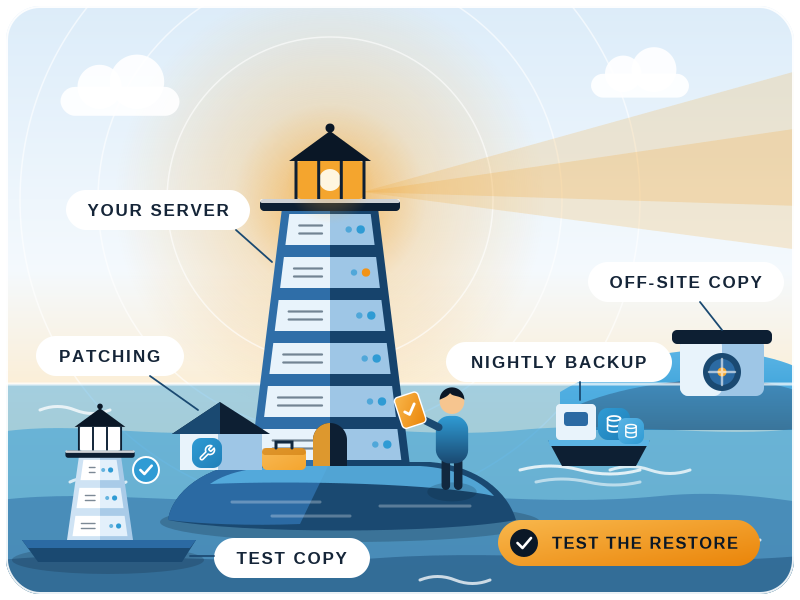
bench --site <site> backup --with-filessaves the database dump and files undersites/<site>/private/backups(backup reference). That's the same server, so copy each backup off the machine and restore one to a spare server every few months. - 5Plan upgrades
bench updatepulls new code, runs patches on all sites, builds assets and restarts supervisor. Run it on a copy first, check custom apps and reports, then update production in a quiet window. - 6Keep watching itTurn on OS security updates, use HTTPS, close ports you don't need, and alert on disk space and memory.
The Frappe v16 stack
These are the versions Frappe lists for v16 (installation docs). Yarn 1.22+ is needed too, and bench downloads Chromium itself for PDFs.
From our own self-managed ERPNext server: we've seen a disk fill up with old build files and the database stop when memory ran short. Alerts, a swap file and a clean-up script fixed both. Monitoring from day one would have caught them earlier. Our ERPNext v16 performance guide covers tuning once it's running.
- 3.14
- Python
- 24
- Node.js
- 11.8
- MariaDB
- 6+
- Redis or Valkey
Options
Frappe Cloud, your own cloud or your own rack?
Frappe Cloud
Your own cloud account
Your own rack
Because ERPNext is GPL-3.0, you can move between these later: take a full backup with files, restore it on the new server and point your domain at it. Our ERP migration service handles moves like this.
- On-premise ERP
- Self-hosted ERP
- Cloud vs on-premise ERP
- Hybrid ERP
- ERPNext on your own server
Next step
What should you do next?
- 1List your must-havesData location, offline needs, integrations, and who will own the server.
- 2Check them against the rulesRead your contracts and sector rules before deciding on hardware.
- 3Default to managed cloudIf the list doesn't force self-hosting, start on a managed cloud. You can still move later.
FinByz has set up and supported ERPNext since 2016, across 200+ projects in 15+ countries, on Frappe Cloud by default and on client servers when needed. Our ERPNext maintenance and AMC service covers either, and our ERP guide helps if you're still choosing a system.
Sources
- Frappe, Installation, updated 29 Oct 2026
- Frappe, Production setup, updated 17 Feb 2026
- Frappe, bench backup reference, updated 17 Feb 2026
- frappe/bench README, GitHub, read 21 Nov 2026
- frappe/frappe_docker README, GitHub, read 21 Nov 2026
- Frappe, ERPNext pricing and hosting options, read 21 Nov 2026
- Hogan Lovells, India's DPDP Act brought into force, Nov 2025
- India Briefing, DPDP Rules 2025 notified, Nov 2025
- GDPR Chapter V, transfers to third countries
- Wikipedia, On-premises software