Claude for Small Business: Plans, Use Cases and Setup Guide
Claude for small business comes down to two choices: the Pro plan if one person will use it, the Team plan once two or more people need it. Here's what each costs, 15 jobs worth handing over, and how to set it up in a week.
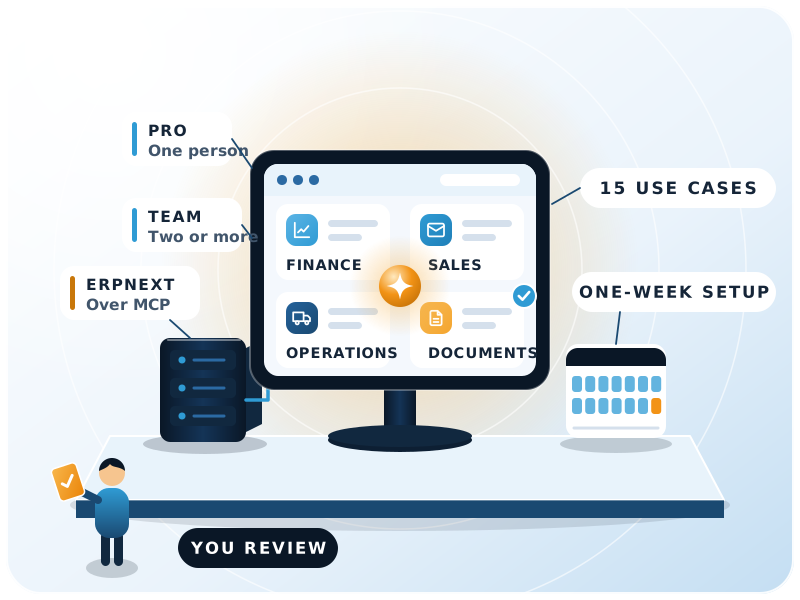

- People on a Team plan, minimum to maximum (Anthropic)
- 2 to 150
- Ready-to-run workflows in the Claude for Small Business package
- 15
- Use cases in this guide, by department
- 15
- Part-time effort for a first working setup
- 1 week
The basics
What is Claude for Small Business?
In short
The phrase means two things, and people mix them up. One is simply using Claude, Anthropic's AI assistant, to run parts of a small company. The other is a named package of ready-made workflows that Anthropic launched on 13 May 2026.
The plan is the easy part. What decides whether Claude earns its seat cost is which jobs you hand it, what data you let it touch, and whether it can read your books and orders instead of a pasted export. This guide covers both meanings, with list prices as of 15 November 2026.
Claude, used by a small business
Drafting, analysis, spreadsheets and document review on a Pro or Team plan. No special product needed, and it's where most companies start.
Claude for Small Business, the package
Launched by Anthropic on 13 May 2026 as connectors plus ready-to-run workflows inside Claude Cowork, its desktop and web agent for multi-step tasks. Anthropic counts 15 workflows and 15 skills.
Neither Anthropic page lists a separate charge. It installs as a plugin in Cowork, and Cowork needs a paid plan.
What's in the package
The launch list covered QuickBooks, PayPal, HubSpot, Canva, Docusign, Google Workspace and Microsoft 365. The solutions page now also shows Xero, Shopify, Stripe, Gusto and Slack.
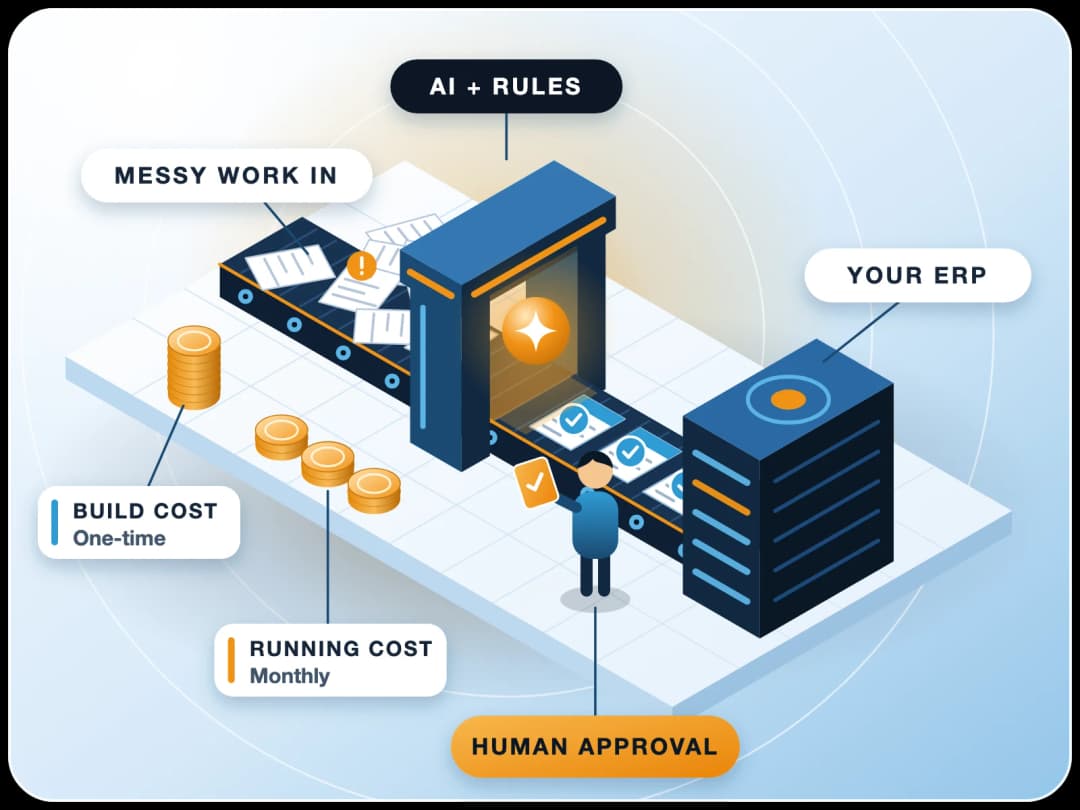
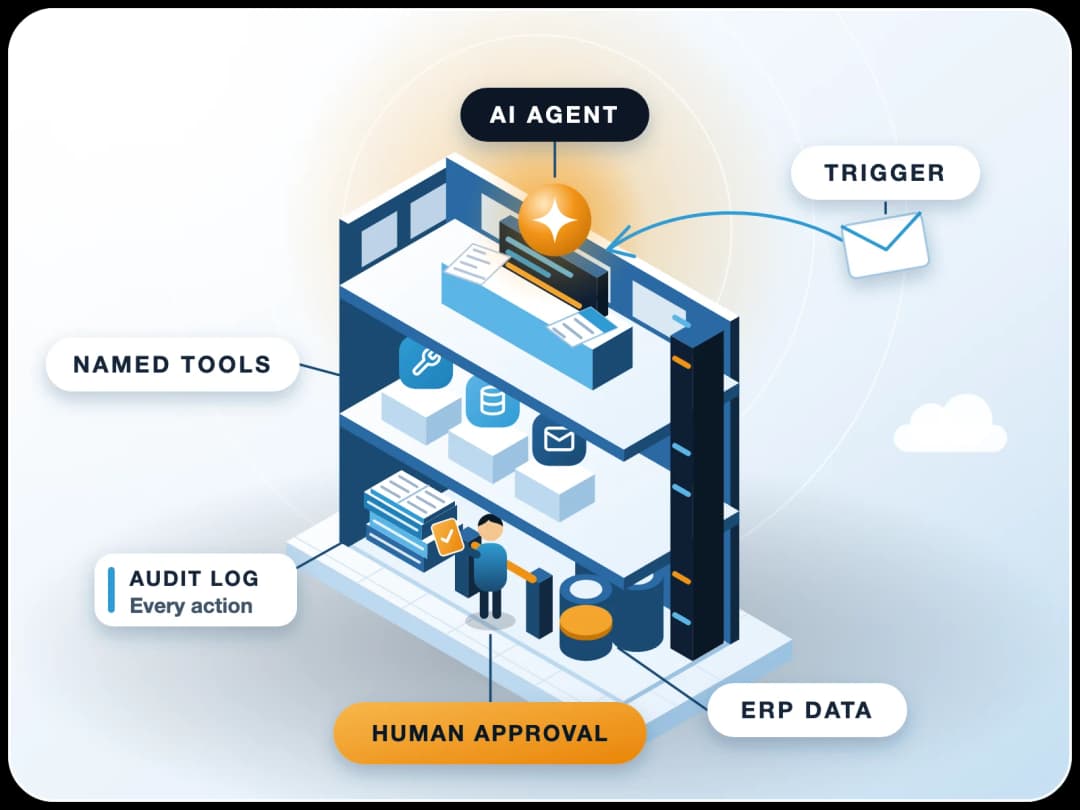
The design rule is that a person stays in charge. In Anthropic's words, "you approve before anything sends, posts, or pays."
Workflows Anthropic names
- Invoice chaser
- Margin analyzer
- Month-end prepper
- Tax-season organizer
- Contract reviewer
- Lead triager
Connectors listed
- Intuit QuickBooks
- PayPal
- HubSpot
- Canva
- Docusign
- Google Workspace
- Microsoft 365
- Xero
- Shopify
- Stripe
- Gusto
- Slack
Claude for business pricing
Which Claude plan fits a small business?
Our pick
For most small companies, Team with Standard seats. Go to Pro only if you're a one-person business. Anthropic's own guidance says the same: Pro for one person, Team for a business with more than one.
These are the list prices on claude.com/pricing as of 15 November 2026, in US dollars before tax. Anthropic says prices and plans can change, and regional pricing differs, so check the page before you budget.
| Plan | List price | Who it's for | What matters for a business |
|---|---|---|---|
| Free | $0 | Trying Claude | Limited usage, no admin controls |
| Pro | $20 a month, or $17 a month billed annually | One person | Cowork, Claude Code, Projects, more models |
| Max | $100 a month | One heavy user | Five times Pro usage |
| Team, Standard seat | $25 per seat a month, or $20 billed annually | 2 to 150 people | Central billing, SSO, connector controls, no training on your content by default |
| Team, Premium seat | $125 per seat a month, or $100 billed annually | Heavy users inside a team | Five times the usage of a Standard seat |
| Enterprise | $20 per seat a month billed annually, 20-seat minimum, plus usage at API rates | Larger or regulated firms | Audit logs, SCIM, role-based access, custom data retention |
Three things the table doesn't show
You can mix seats
Every plan has usage limits
Five Pro accounts aren't a business setup
How expensive is Claude for businesses?
A five-person company on Team Standard seats pays $125 a month at the monthly list rate, or $100 a month on annual billing. That's the whole software bill unless you buy extra usage.
The real cost sits elsewhere: the hours someone spends connecting tools, writing instructions and checking output for the first few weeks. Budget for that time. A plan nobody has set up properly is the expensive one.
Worked example, five people. Team Standard seats at the monthly list rate: 5 x $25 = $125 a month. On annual billing: 5 x $20 = $100 a month. Both before tax, as of 15 November 2026.
Use cases
What can Claude do for a small business? 15 use cases
Grouped by department. In each one Claude prepares the work and a person checks it before it goes out.
| # | Area | Use case | What Claude needs |
|---|---|---|---|
| 1 | Finance | Chase overdue invoices: rank by age and amount, draft reminders (see our accounts receivable guide) | Receivables ageing report |
| 2 | Finance | Month-end prep: list unreconciled entries, write a plain-English P&L summary | Trial balance, bank statement |
| 3 | Finance | 30-day cash forecast before payroll | Open receivables, payables, payroll date |
| 4 | Finance | Margin check by item or customer | Sales and purchase registers |
| 5 | Finance | Sort and label documents for the accountant at tax time | Invoice and expense folders |
| 6 | Sales | Triage new leads and draft the first reply | CRM or enquiry inbox |
| 7 | Sales | Draft proposals and quotations from call notes | Notes, price list, past proposals |
| 8 | Sales | Weekly customer summary: who went quiet, who's growing | CRM activity, sales orders |
| 9 | Marketing | Content plan and first drafts in your own voice | Past posts, product notes |
| 10 | Operations | Monday brief: orders, stock alerts and overdue tasks on one page | ERP reports |
| 11 | Operations | Turn a messy process into a written SOP | A recording or rough notes |
| 12 | Operations | Meeting notes into action items with owners | Transcript |
| 13 | Documents | Review a contract and flag unusual clauses | The contract, your standard terms |
| 14 | Documents | Read supplier invoices or purchase orders into a spreadsheet | PDFs or scans |
| 15 | People | Job descriptions, interview questions, policy drafts | Role details, existing policies |
Can Claude write me a business plan?
Yes, and a decent first draft takes minutes. It can't know your local market, your real costs or your customers unless you give it those numbers. Treat the draft as structure and fill in the facts yourself.
What we see in ERPNext and AI projects. The finance and operations rows pay back first, but only when Claude reads live data. Someone who pastes last week's export into a chat gets last week's answer. That's why the ERP connection further down matters more than the model you pick. Our guide to deploying AI agents on ERP covers the next step up from an assistant.
Setup guide
How do you set up Claude for a small business?
A first working setup takes about a week of part-time effort. Do it in this order.
- 1Pick two jobsOne finance task and one sales or operations task from the table. Write down how long each takes today, so you can tell later whether anything improved.
- 2Create the Team organisationSign up with a work email, add the people who'll use it, and give everyone Standard seats. Name one owner who controls billing and connectors.
- 3Set the ground rules before anyone startsOne page is enough: what may be uploaded, what never goes in (passwords, card and bank details), and who approves anything that leaves the company.
- 4Connect one toolOn a Team plan the owner adds connectors under Organization settings, then each member connects their own account. Start with email and calendar or your accounting system, not everything at once.
- 5Install the Small Business plugin in CoworkSwitch on only the workflows that match your two jobs.
- 6Build a Project per jobPut your price list, standard terms, tone examples and report formats in it. Most teams skip this step, and it's the one that stops Claude from giving generic answers.
- 7Schedule and reviewSet the Monday brief or the invoice chaser to run on a schedule. Keep approval switched on for anything that sends, posts or pays.
- 8Check after 30 daysCompare against the times you wrote down in step 1. Keep what worked, drop what didn't, add the next job.
Data privacy
Is business data safe with Claude?
It depends on the plan
The plan decides the default. On Team and Enterprise, your content isn't used for model training by default. On personal plans, it depends on each user's own setting.
Commercial plans: Team, Enterprise, API
Anthropic's privacy article says it doesn't use your inputs or outputs for model training by default. The exception is feedback: a thumbs up, thumbs down or bug report can put that conversation in scope. Owners can turn feedback off in Organization settings.
Consumer plans: Free, Pro, Max
Training depends on each user's own setting. Chats can be used to improve the models if the user allows it in Privacy Settings. Incognito chats are excluded.
This is the strongest argument for Team over a handful of personal accounts. On Team the company sets the rule once. On personal accounts you're trusting every employee's toggle.
Anthropic also states on its small business page that its controls are audited to SOC 2 Type II and that data is encrypted in transit and at rest. In a survey Anthropic ran before the launch, half of the small business owners asked named data security as their biggest hesitation about AI, so the concern is common.
Three habits on any plan
Least access
Trusted connectors only
No secrets in chat
ERP connection
How do you connect Claude to ERPNext?
In short
ERPNext isn't in the launch list of Small Business connectors, which centres on QuickBooks and similar tools. You add it as a custom connector instead, and on Frappe version 16 or later that's a short job.
Frappe Framework version 16 and later includes a built-in MCP server. MCP, the Model Context Protocol, is the open standard Claude uses to talk to outside systems. Per the Frappe documentation, the endpoint sits at /api/v2/mcp on your site, it requires a signed-in Desk user, and every read, create, update or delete goes through that user's normal ERPNext permissions.
- 1Enable MCP in ERPNextUnder System Settings > AI Agents, and set up OAuth on the site.
- 2Add the connector in ClaudeThe Team owner opens Organization settings > Connectors and adds a custom web connector with the URL
https://your-site/api/v2/mcp. - 3Each member signs inEveryone connects with their own ERPNext user, so they see only what their role allows.
- 4Test read-only firstAsk something like “list sales invoices overdue by more than 30 days” before you allow any writes.
Don't connect as Administrator. With an Administrator or System Manager login, Claude can do whatever that user can. Create a role with read access to the reports you need and add write access document by document.
Fix your masters first. If customer names are duplicated or item groups are a mess, Claude will report the mess faithfully.
On an older ERPNext version the built-in server isn't there. Community MCP servers exist, but check who maintains them before giving one an API key. Our ERPNext AI page shows what we build inside the ERP itself.
Limits
When is Claude the wrong tool?
Claude doesn't replace your accountant, your lawyer or your ERP. Use something else when:
The numbers must be exact and auditable
The task is the same every time
Nobody will review the output
It has to act alone on money
Your country isn't supported
The process isn't settled
Next step
Where should you start?
Pick two jobs from the table, put two or three people on a Team plan for a month, and measure. If your data lives in ERPNext, connect it early, because that's where the finance and operations use cases come from.
FinByz Tech has implemented ERPNext since 2016, with 200+ projects across 15+ countries and a 50+ in-house team, and we build AI workflows on top of it. If you want help connecting Claude to your ERP with the right permissions, talk to our AI automation services team.
- Two jobs, timed before you start
- Team plan, Standard seats, one owner
- One connector first, approvals on
- Review against your numbers after 30 days
Sources
- Anthropic: Introducing Claude for Small Business, 13 May 2026
- Anthropic: Claude for Small Business solutions page, read 15 November 2026
- Anthropic: Claude pricing, read 15 November 2026
- Claude Help Center: What is the Team plan?, read 15 November 2026
- Claude Help Center: Get started with Claude Cowork, read 15 November 2026
- Claude Help Center: Usage limit best practices, read 15 November 2026
- Anthropic Privacy Center: Is my data used for model training? (commercial products), read 15 November 2026
- Anthropic Privacy Center: Is my data used for model training? (consumer products), read 15 November 2026
- Claude Help Center: Get started with custom connectors using remote MCP, read 15 November 2026
- Frappe Framework documentation: MCP server, read 15 November 2026
- Anthropic: Supported countries and regions, read 15 November 2026