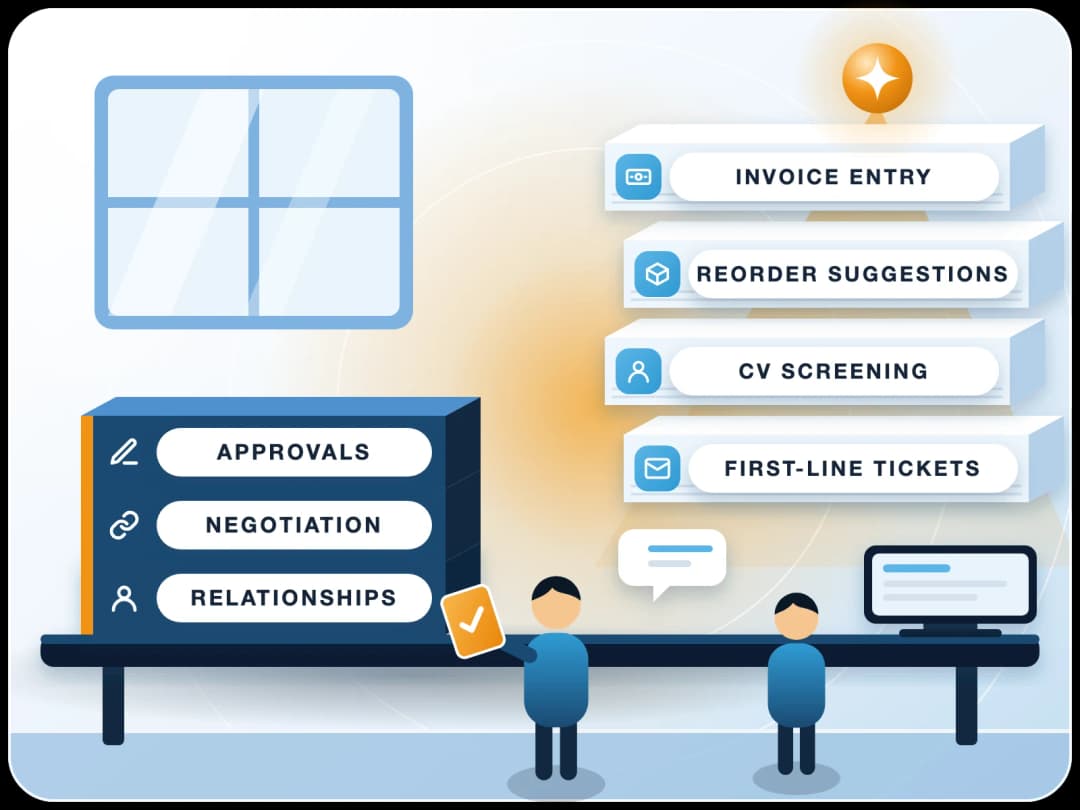
Human in the Loop AI: What Agents May Decide Alone
Human in the loop means a person checks, approves or can stop what an AI agent does before it counts. Here's which actions an agent may take alone, which need approval, which it should never take, and how to set the rules in ERPNext.
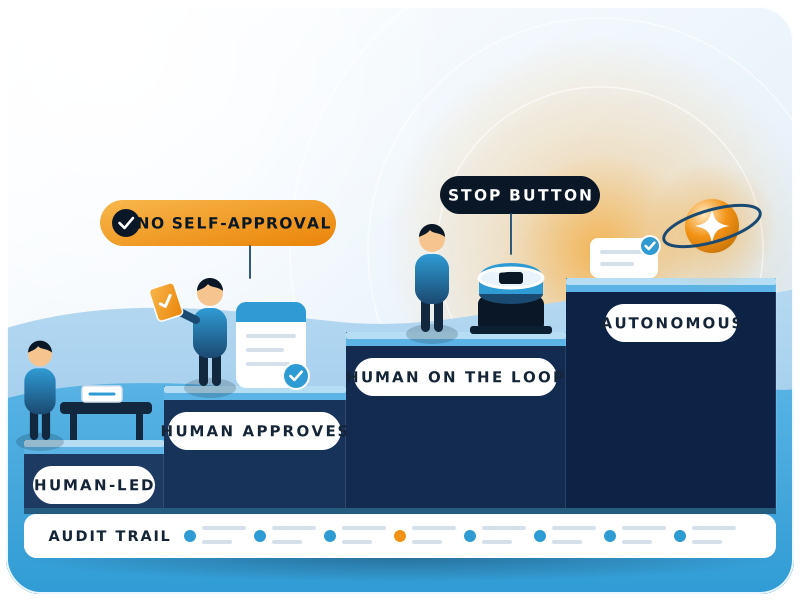

- Levels of human oversight for an agent
- 4
- Abilities EU AI Act Article 14 asks overseers to have
- 5
- Article 14 applies to Annex III high-risk AI from
- 2 Dec 2027
- Steps to set agent approvals in ERPNext
- 7
The short answer
What does human in the loop mean for AI agents?
In short
Human in the loop means a person checks, approves or can stop what an AI system does before it counts. For business AI agents it comes down to one question: which actions may the agent take alone, which need a person's approval first, and which should it never take at all?
IBM defines human-in-the-loop (HITL) as a system "in which a human actively participates" in the operation, supervision or decision-making of an automated system (IBM). In machine learning that usually meant people labelling data or correcting a model's output. Most pages ranking for the term still describe that older meaning.
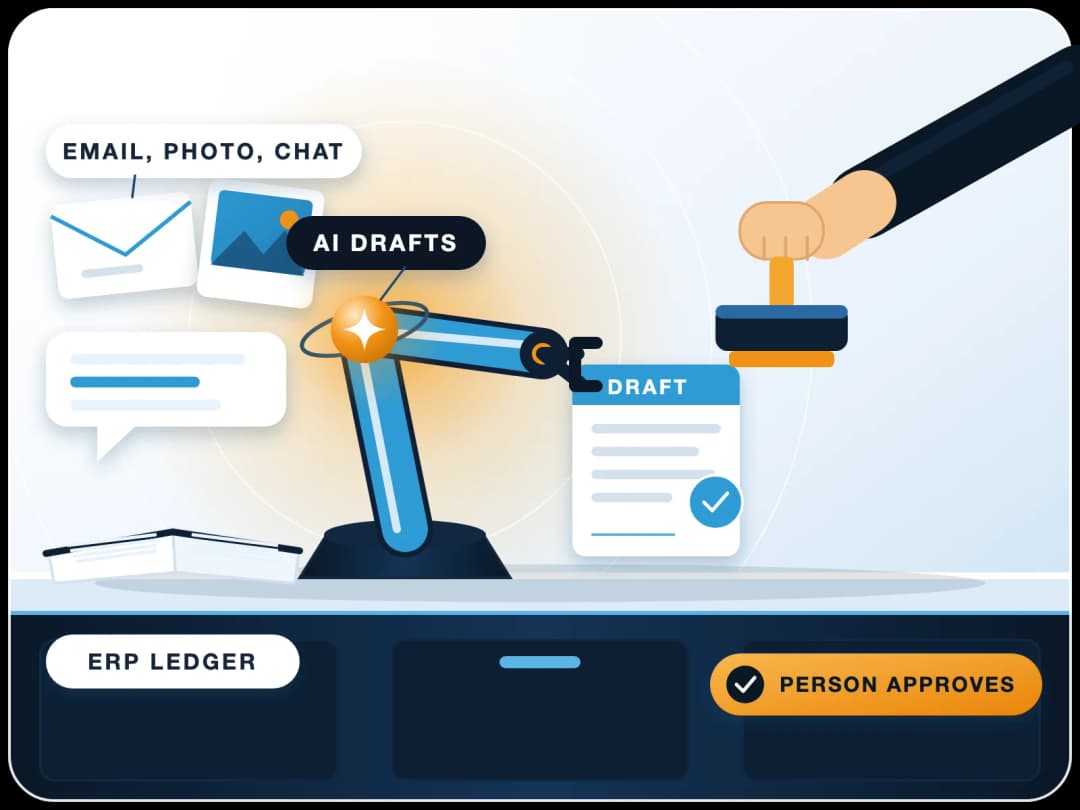
AI agents raise the stakes. An agent doesn't just suggest an answer. It can post a purchase invoice, change a supplier's bank details or reply to a customer. So the person's job moves from "fix the model's mistakes" to "own the decision". The model drafts. A named person decides.
The test we use in ERP projects
If an action does any of these three things, someone with authority has to be able to see it, approve it and undo it.
Moves money
Changes master data
Speaks for the company
The dial
What are the four levels of human oversight?
Human in the loop isn't on or off. It's a dial, and most teams end up using all four positions, each for a different kind of action.
| Level | Who acts | Who decides | Typical use |
|---|---|---|---|
| 1. Human-led | The person, with AI help | The person | Drafting a contract clause, reading a long tender |
| 2. Human approves (in the loop) | The agent prepares the action | A person approves before it runs | Supplier payments, credit notes, price changes |
| 3. Human on the loop | The agent acts | A person monitors and can step in | Matching bank lines, tagging expenses, routing emails |
| 4. Autonomous | The agent acts | No one, per action; rules are reviewed later | Reading attachments, filling draft fields, reminders |
The gap between levels 2 and 3 matters most. At level 2 the agent waits. At level 3 it goes ahead and a person reviews the log, usually daily, with the power to reverse. Level 3 is faster, but it's only safe when the action is small in value and easy to undo.
Is it really binary: human in the loop vs AI in the loop?
No. A common mistake is to pick one level for the whole agent. A purchase agent might read a supplier's PDF on its own (level 4), match it to the purchase order with a person watching (level 3), and wait for approval before the invoice is submitted (level 2). The level belongs to the action, not to the agent.
Why now
Why does human in the loop matter now?
Who pays for an agent's mistake has moved from theory into contracts. American Banker reported that Wells Fargo appears to be the first bank to ask customers to prove they've revoked an AI agent's access to their accounts, or be liable for what the agent does (American Banker, 2 Nov 2026).
United Airlines said it would restrict unauthorized third-party personal AI agents on its platforms (CBS News, 11 Nov 2026). And Article 14 of the EU AI Act says high-risk AI systems must be designed so people can effectively oversee them while in use (EU AI Act, Article 14).
The lesson for your own business is simple. If an agent acts with your credentials, its mistake is your mistake. Approval steps and an audit trail are how you show a person was in control.
2 Nov 2026
Wells Fargo shifts agent risk to customers
Customers are asked to prove they revoked an AI agent's access, or be liable for what it does.11 Nov 2026
United restricts third-party AI agents
It cites federal rules that require travelers to confirm certain checks themselves.2 Dec 2027
EU AI Act Article 14 applies
Human oversight duties for Annex III high-risk systems, as listed on 20 Nov 2026.
What does the EU AI Act actually require?
Article 14 asks that the people overseeing a high-risk system can understand its limits, stay aware of the pull to over-rely on its output (it names this "automation bias"), interpret the output correctly, "disregard, override or reverse" it, and halt it through a "stop" button or a similar procedure. As of 20 November 2026, the AI Act Explorer lists these duties from 2 December 2027 for Annex III high-risk systems and 2 August 2028 for Annex I systems.
- Understand
- Stay alert to automation bias
- Interpret
- Override or reverse
- Stop
Most ERP agents (invoice entry, email drafting) won't be high-risk under the Act. Those five abilities still make a good design checklist for any business agent.
Approval matrix
Which decisions can an AI agent take alone?
Ask three questions about every action the agent can take, then sort it into approve, review or never.
What does it cost if it's wrong?
Can it be undone cleanly?
Does it change shared truth?
An approval matrix you can copy
| Process | Agent may do alone | Needs a person's approval | Never give the agent |
|---|---|---|---|
| Accounts payable | Read invoice PDFs, create draft purchase invoices, match to PO and receipt | Submit the invoice, any mismatch over your tolerance, every payment entry | Releasing payments from the bank |
| Accounts receivable | Draft payment reminders, suggest matches for receipts | Credit notes, write-offs, changes to credit limits | Waiving dues on its own |
| Purchasing | Draft material requests and RFQs from reorder levels | Purchase orders above a value you set, new suppliers | Accepting supplier terms or contracts |
| Pricing | Flag margin drops, draft a price list update | Any price or discount change that goes live | Changing prices in a live quotation |
| Vendor and customer master | Fill new records as drafts from documents | Every change to bank details, tax IDs, payment terms | Editing bank details with no second check |
| Customer emails | Classify, route, draft replies | Sending replies on disputes, pricing or delays | Promises on delivery dates or refunds |
| HR and payroll | Answer policy questions from approved documents | Leave approvals within policy | Salary, appraisal scores, terminations |
Two notes from practice. Set approval thresholds in your own currency and review them after the first month; the right number depends on how many items people can really check. And put every change to supplier bank details behind two people, agent or not, because that one field is where payment fraud usually starts.
For the agents themselves, department by department, see our AI agent use cases by department.
ERPNext
How do you set AI agent approvals in ERPNext?
ERPNext already has the pieces, so you don't need a separate approval tool. The agent gets its own user, and the same rules that control people control it.
- 1Give the agent its own ERPNext userNever let it act as a person. Give it a narrow role, read-only at first, and grant create rights only on the doctypes it needs, such as Purchase Invoice in draft.
- 2Take away submit rightsIf the agent's role can't submit, every document it creates stays a draft until a person acts. This one setting gives you level 2 for free.
- 3Add a Workflow for anything with a thresholdERPNext Workflows let you set multiple levels of approval, and a transition can carry a condition. The docs' own example sends a quotation above a set grand total to a particular role for approval (ERPNext docs, Workflows). Since version 13, conditions can also use date, session and database lookups.
- 4Block self-approvalEach Workflow Transition has an "Allow Self Approval" check box (we confirmed the field on Frappe version 16). Leave it off, so whoever created a document can't approve it. For an agent, the approver is then always a person.
- 5Use User Permissions to fence dataLimit the agent to one company, branch or warehouse the same way you would a new employee.
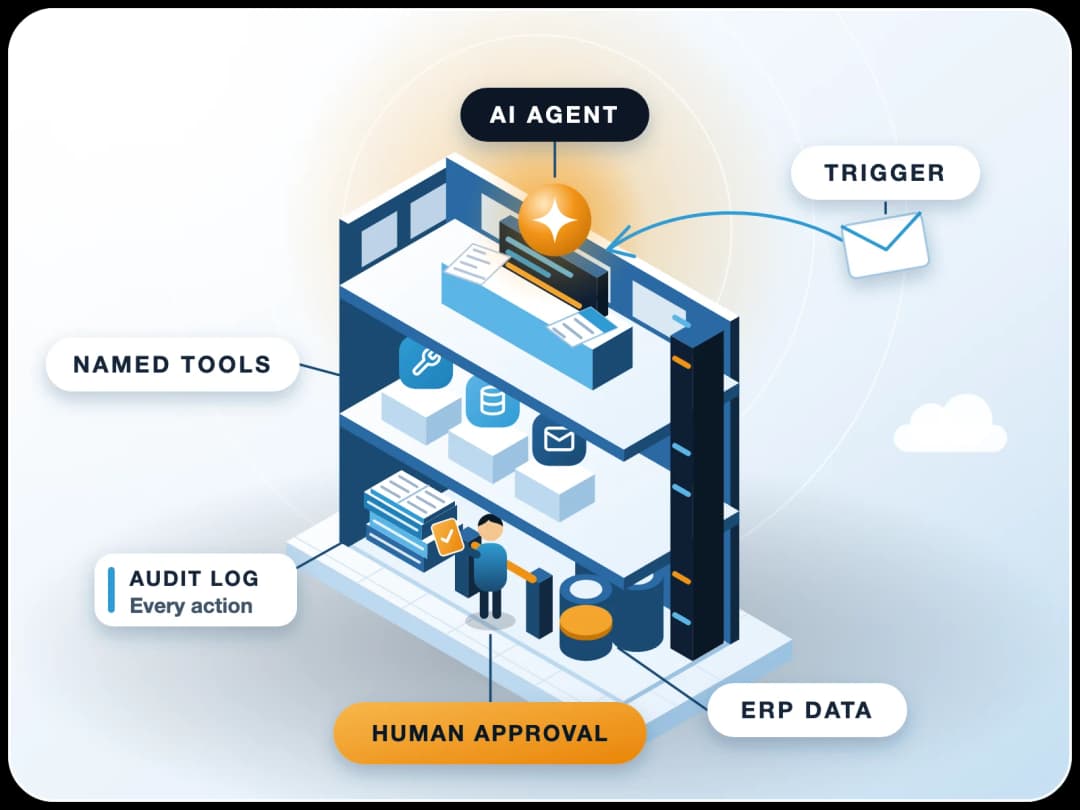
- 6Keep the audit trail onTurn on Track Changes for the doctypes the agent edits, so the Version log shows who changed which field and when. Pair it with the agent's own log of the prompt, source document and reason for each action.
- 7Give people a stop buttonDisabling the agent's user, or revoking its API key, should stop it at once. Write down who can do that, and test it.
Who should be the approver?
The person who would have done the work without the agent. If your accounts executive used to check invoices, they now approve the agent's drafts. Accountability stays where it already sits, and they know what a wrong entry looks like. For the wider rollout, see how to deploy enterprise AI agents on ERP.
Audit
How do you keep an audit trail that passes review?
An auditor will ask three things: what did the agent do, who approved it, and could anyone change the record afterwards? Keep the four items listed here for every action.
ERPNext's Version and Workflow history cover most of this. The missing piece is usually the agent's reason, so store it in a comment or a custom field on the document.
- The source the agent used: the invoice PDF, the email, the report
- What it created or changed, with before and after values
- The approver, the time and the workflow state change
- The agent's reason, in plain words, on the document or in a linked log
How do you roll back an agent's mistake?
Keep agents in draft and cancel-friendly territory. A draft is deleted. A submitted document is cancelled and amended, which leaves a visible trail. Trouble starts when an agent acts outside the ERP, such as sending an email or calling a bank API, where there's nothing to cancel. Those actions belong in level 2.
Limits
When is human in the loop the wrong answer?
Approvals have a cost. Watch the matrix in both directions, and review it each quarter with the approvers. It isn't a one-time document.
Too many approvals
If a person has to approve 300 low-value expense tags a day, they'll click "approve" without reading. That's the automation bias the EU AI Act warns about, plus an extra step. Move the action to level 3: let the agent act, sample 10 or 20 items a day, and track how often people reverse it.
Reversals near zero
If reversals stay near zero for a few months on a low-value action, you can relax the rule. If they climb, tighten it again.
From our projects
What we see in ERP projects
In our ERPNext and AI work, the agents that last start narrow: one process, draft-only rights, a named approver and a clear log. Teams that start with "let the agent handle accounts" usually switch it off after the first wrong entry. Teams that start small grow it step by step.
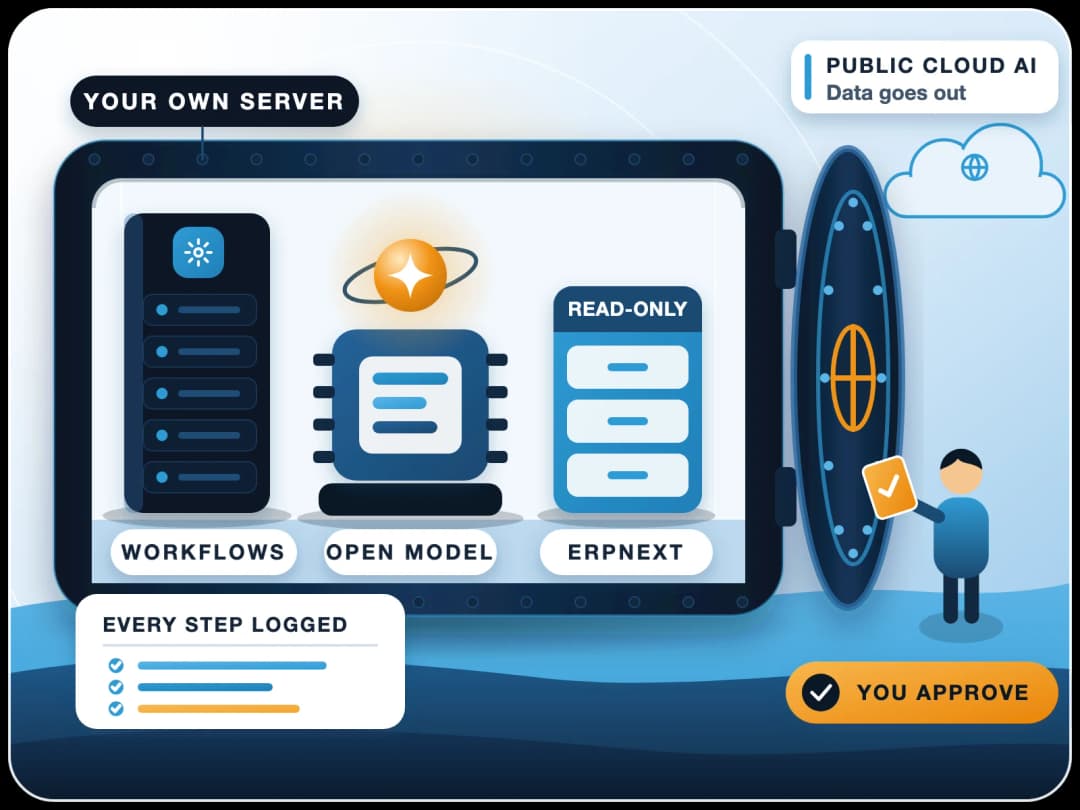
AI also comes after clean data. If your supplier master is messy, an agent will repeat the mess faster. For which roles shift first, see what jobs AI will replace, and if your data must stay in-house, our guide to self-hosted AI agents.
Start with "the agent prepares purchase invoices, the accounts executive approves them", not "let the agent handle accounts".
Planning an AI agent inside ERPNext? Start with the approval matrix above for one process. FinByz has delivered 200+ projects since 2016, and we build AI agents that run inside ERPNext with each user's own permissions and human approval on every action that matters. See AI on ERPNext.
Sources
- IBM: What is human-in-the-loop?, checked 20 November 2026
- EU AI Act, Article 14: Human Oversight (AI Act Explorer), checked 20 November 2026
- American Banker: Wells Fargo wants customers to prove they've revoked AI agents, 2 November 2026
- CBS News: United Airlines bans AI agents from booking flights, 11 November 2026
- ERPNext documentation: Workflows, checked 20 November 2026