Self-Hosted AI Agents for Business: A Practical 2026 Guide
A self-hosted AI agent runs on servers you control, so prompts, documents and ERP data stay on your own network. Here's the open-source stack, the hardware, a security checklist, what drives the cost, and how to connect it to ERPNext safely.

- Memory gpt-oss-20b runs within
- 16 GB
- Single GPU gpt-oss-120b is built to fit
- 80 GB
- Port Ollama listens on, localhost only by default
- 11434
- OWASP risks for LLM apps, 2025 list
- 10
The short answer
What is a self-hosted AI agent?
In short
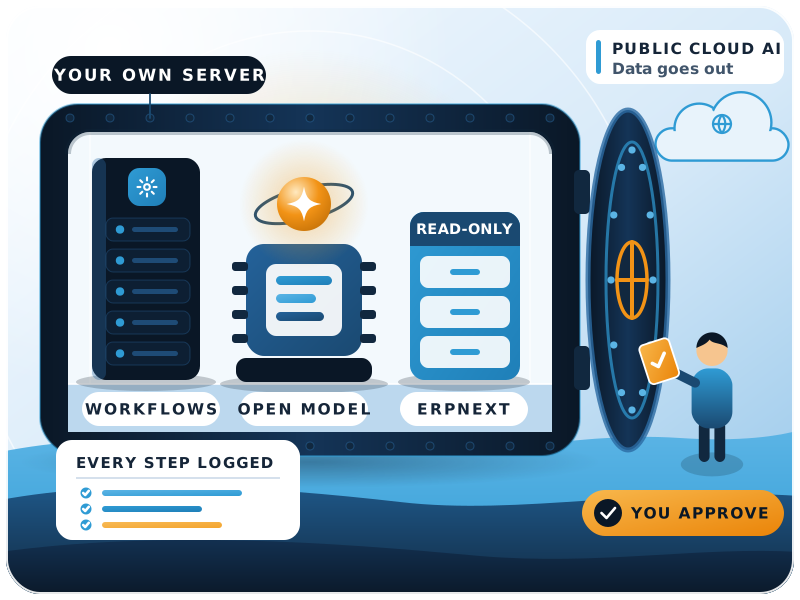
A self-hosted AI agent is an AI assistant that runs on servers you control, so your prompts, documents and ERP data never leave your own network. For most companies the right setup is a private agent for sensitive work (finance, HR, customer records) and a cloud AI plan for everything else.
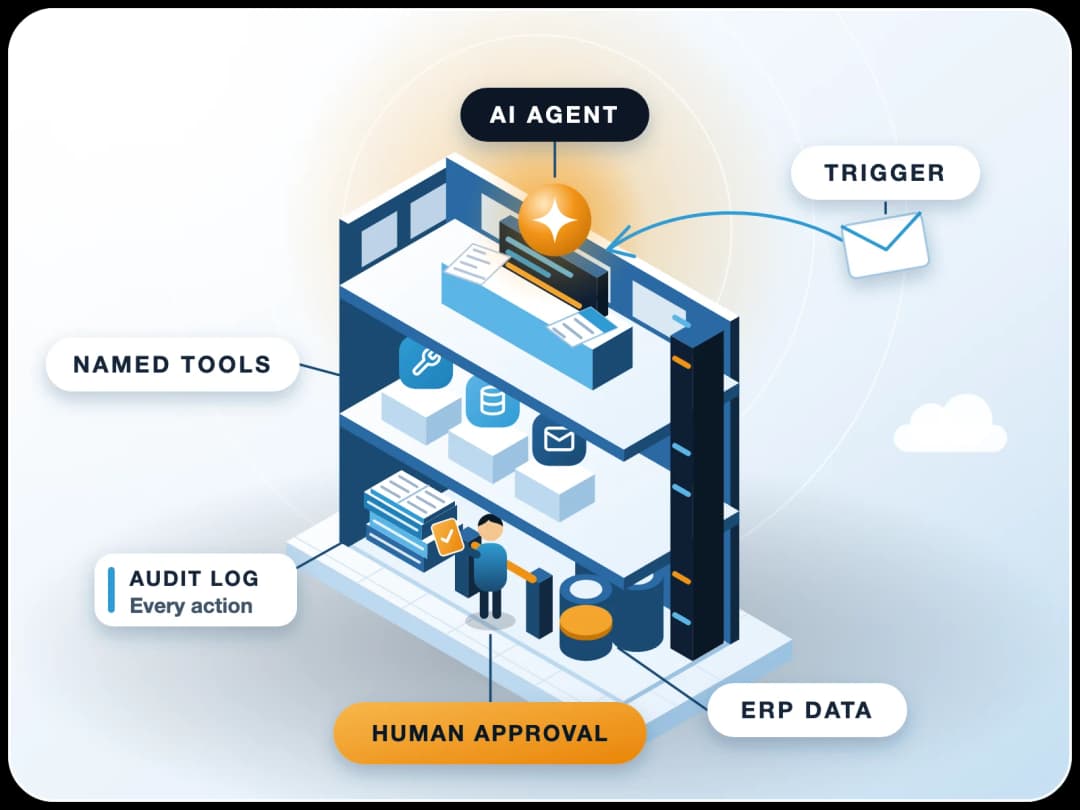
An agent is a loop. A language model decides what to do, a tool runs the action, and the result goes back to the model for the next step. Oxide's engineers put it plainly: inference runs on GPUs, tool calls run on CPUs, and a harness ties the two together (Oxide, 29 Oct 2026). Self-hosted means you run all three parts yourself:
The model
The agent runtime
The tools
You'll also hear it called a local AI agent, or simply private AI. If any one of those three parts is a public cloud API, the agent is only partly self-hosted. That's often fine. What matters is knowing exactly which data crosses which line.
Why now
Why are businesses moving AI agents in-house?
Two things changed in 2026. Agents got good enough to act, not just chat. And companies started asking where those actions happen.
On 11 November 2026, United Airlines said it would block unauthorised third-party AI agents from booking and changing tickets. It pointed to customers handing over "account credentials", plus unintended purchases and account changes (The Record, 12 Nov 2026). The same report notes Bank of America has told customers not to share login details with AI agents.
That's a customer story, but it carries over to your staff. When someone pastes a supplier contract into a personal AI app, or hooks a cloud agent up to the company mailbox, your data and credentials now sit with a third party you never vetted. That's the main reason owners ask us about private AI for business.
Nov 2025
India notifies the DPDP Rules, 2025
Most duties for data fiduciaries apply 18 months after notification.29 Oct 2026
Oxide publishes its self-hosted agent setup
Each agent session runs in its own short-lived VM.11 Nov 2026
United blocks third-party AI agents
It cites the risk of customers handing over account credentials.
Regulation points the same way. India's Digital Personal Data Protection Rules, 2025 were notified in November 2025, and most duties for data fiduciaries apply 18 months later (PTI via The Week, 14 Nov 2025). A private agent won't make you compliant on its own. It does make "where did this personal data go?" much easier to answer.
Decide
Self-hosted AI vs a cloud AI plan: which is right for you?
Short answer
Neither wins every time. Self-host when the data is sensitive, the volume is high and steady, or a client or regulator asks where the data lives. Stay on a cloud plan when you need the strongest model for occasional hard tasks and the data isn't sensitive.
| Question | Self-hosted AI agent | Cloud AI plan (ChatGPT, Claude, Gemini) |
|---|---|---|
| Where does data go? | Stays on your servers | Sent to the vendor; business plans say they don't train on it by default |
| Model quality | Good open-weight models, a step behind the best cloud models on hard reasoning | Best available models |
| Upfront cost | Hardware or a GPU server, plus setup time | None |
| Running cost | Power, hosting, upkeep, staff time | Per-seat or per-token fees |
| Who patches and monitors it | Your team or your partner | The vendor |
| Works offline or in a closed network | Yes | No |
| Best for | Finance, HR, payroll, customer records, regulated data, high-volume repetitive tasks | Drafting, research, general office work, low-sensitivity data |
If you're choosing between the cloud plans themselves, our Claude vs ChatGPT for business comparison covers seats, data terms and ERP fit.
The stack
What does a private AI agent stack look like?
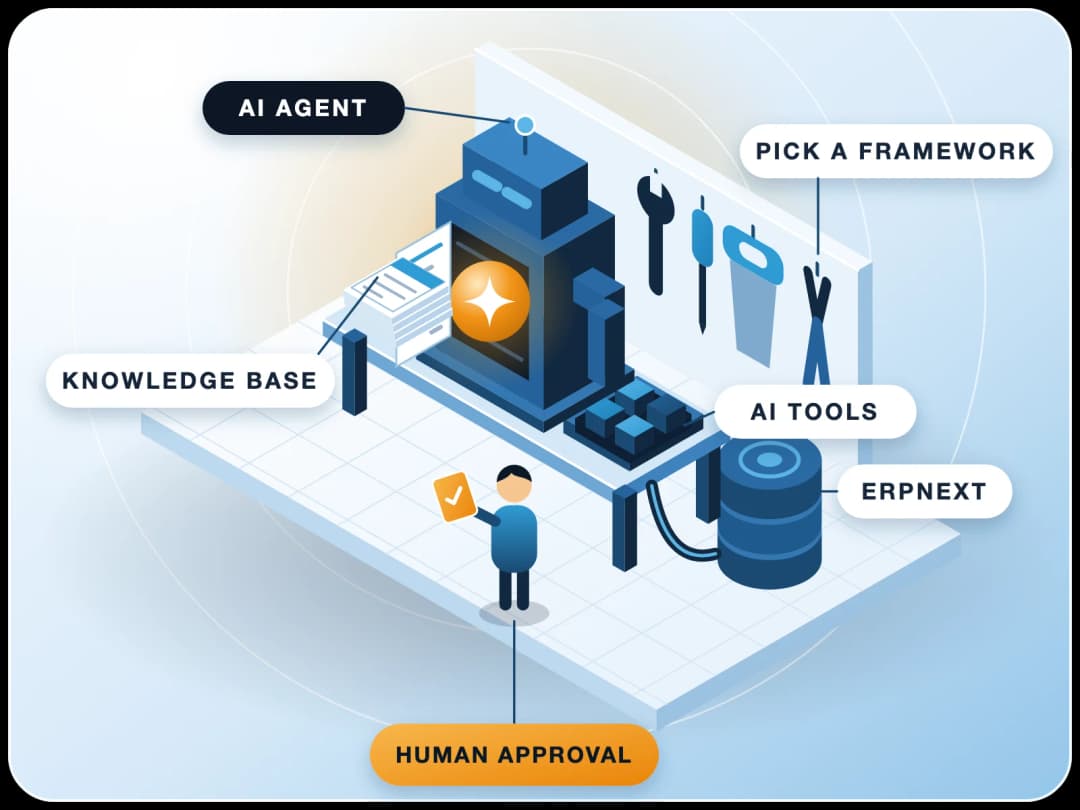
You don't need to build anything from scratch. A practical open-source stack for a mid-size business has four layers.
1. Model server
2. Open-weight model
3. Agent runtime
4. Your data and tools
Model server
Ollama is the easiest way to run open-weight models on one machine. Its docs say "Ollama runs locally" and that the company doesn't see your prompts or data when you do. For a shared server with many users, vLLM gives you an HTTP server compatible with OpenAI's API, so most tools that talk to OpenAI can talk to your own model instead.
Open-weight model
Pick a model whose licence allows business use. One example: OpenAI's gpt-oss models ship under the Apache 2.0 licence. gpt-oss-20b runs within 16 GB of memory, and gpt-oss-120b is built to fit a single 80 GB GPU such as an NVIDIA H100 (gpt-oss on GitHub).
Llama, Qwen and Mistral come with their own licences. Read them before you commit.
- 16 GB
- gpt-oss-20b runs within this much memory
- 80 GB
- gpt-oss-120b fits a single GPU of this size
Agent runtime and workflows
n8n is our usual pick for business agents. The same tool runs the agent and the dull workflow around it: triggers, approvals, retries, logs. You can self-host it "on your own infrastructure, on-premises, or in a private cloud," and its docs name Docker Compose as the best option for production. n8n uses the Sustainable Use License, which allows use "for your own internal business purposes". Among open source AI agent platforms, it's the easiest for business teams to read and maintain. See how we orchestrate AI agents in n8n. For code-heavy agents, LangGraph or CrewAI fit better; we compared them in our guide to open-source AI agent frameworks.
Your data and tools
This is where the agent earns its keep: ERPNext, a document store, shared drives, email, a vector database for search over your own files. Every connection is also a door, which is why the security section matters more than the model you pick. If you want an agent that acts on its own schedule, see our wiki on the proactive AI assistant OpenClaw.
Hardware
What hardware do you need to run a self-hosted AI agent?
Short answer
The model drives the hardware. The agent runtime (n8n, a database, a vector store) runs fine on an ordinary server; the model is the heavy part.
| Workload | What it needs | Fits |
|---|---|---|
| Pilot: one team, simple Q&A and drafting | A smaller model like gpt-oss-20b (within 16 GB of memory) | A workstation or Mac with enough unified memory, or a single mid-range GPU |
| Department agents, document reading, ERP lookups | A mid-size model, several users at once | A dedicated GPU server on-premises or in your private cloud |
| Company-wide agents, larger model, heavy load | A large model like gpt-oss-120b (single 80 GB GPU) | Data-centre GPU (H100 class) on-premises or a private cloud GPU instance |
Three practical points from our projects
Pilot on one machine first
Count concurrent users
Split model and runtime
Security
How do you secure a self-hosted AI agent?
Self-hosting removes the third-party risk. It doesn't remove the agent risks. The OWASP Top 10 for LLM Applications (2025) lists them, and four matter most for business agents.
- LLM01 Prompt injection
- LLM02 Sensitive information disclosure
- LLM06 Excessive agency
- LLM10 Unbounded consumption
The checklist we use before any agent touches real data
Keep the model server private
Its own user everywhere
Read-only first
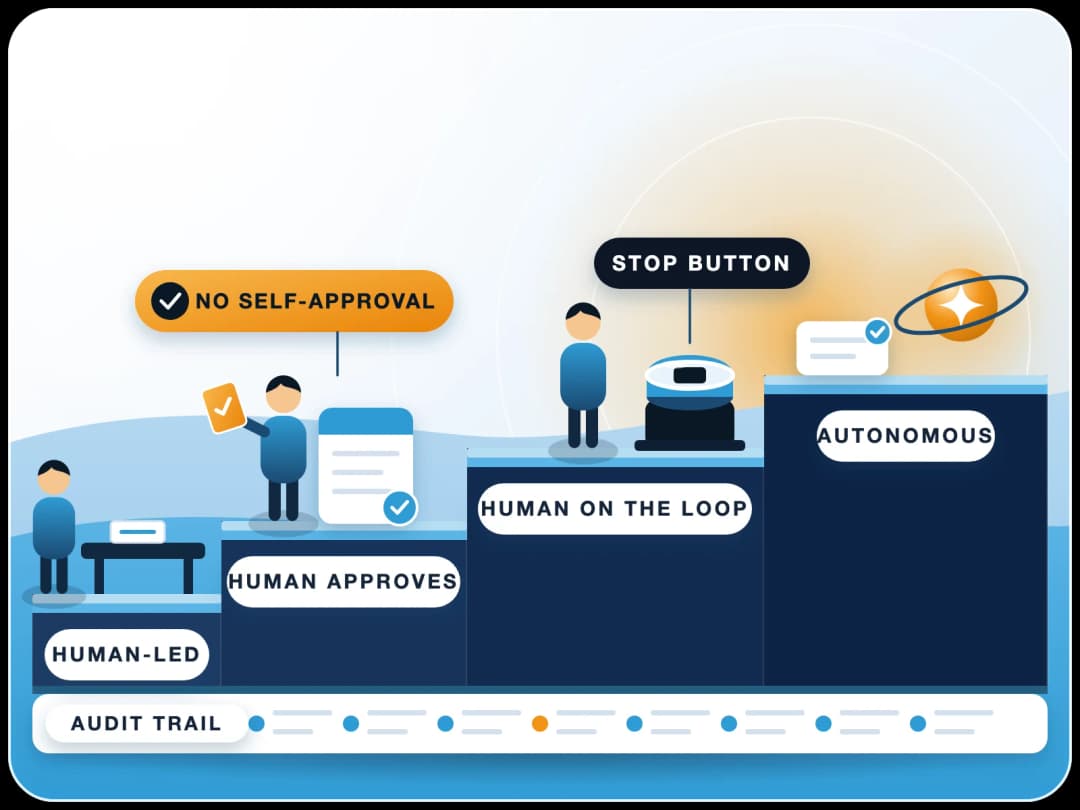
Human approval for actions
Treat documents as untrusted
Log every tool call
Set limits
Patch on a schedule
ERPNext
How do you connect a private AI agent to ERPNext safely?
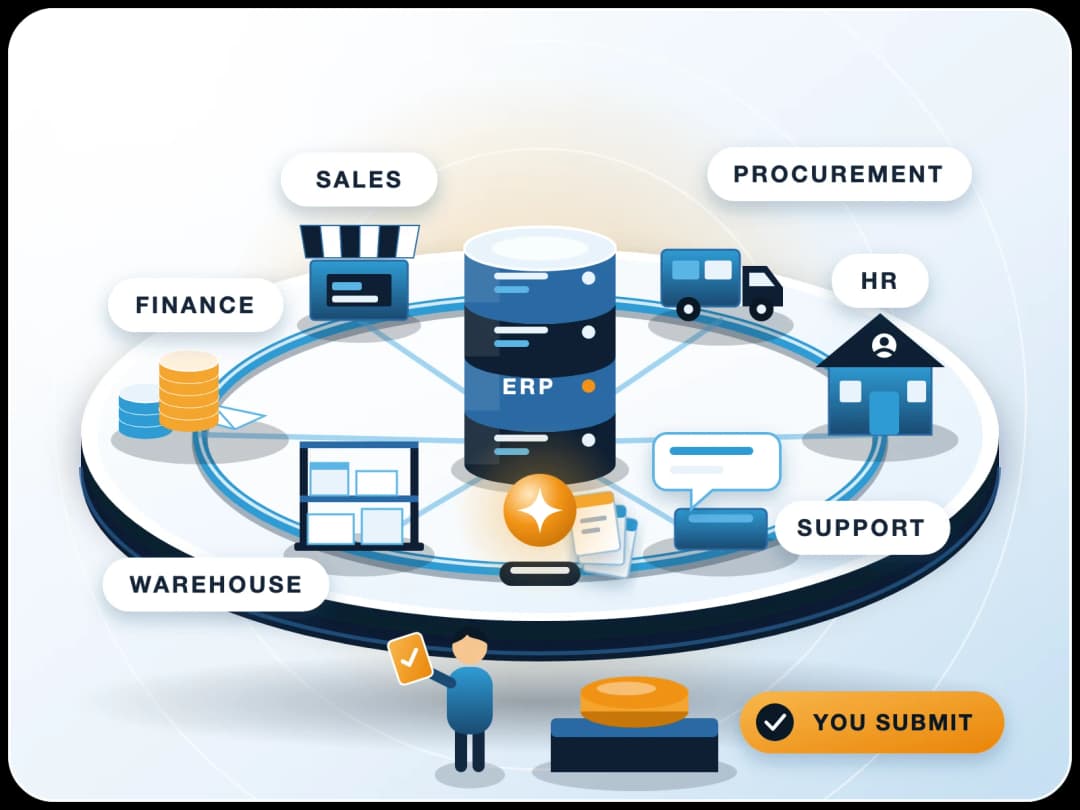
ERPNext holds most of a company's sensitive data, so this is the connection to get right. We set it up the same way every time.
- 1Create a dedicated ERPNext user for the agentFor example "AI Agent - Sales". Frappe's own guide suggests a separate user for API calls.
- 2Give it a narrow roleOnly the doctypes it needs, read-only to start. Frappe checks API calls against the roles of the user who owns the key, and logs the request against that user (Frappe token authentication).
- 3Add User PermissionsIf the agent should see one company, branch or territory only.
- 4Generate an API key and secretStore them in n8n's credential store, never in a workflow node or a prompt.
- 5Route writes through approvalThe agent saves a Sales Order or Journal Entry as a draft and a person submits it. ERPNext's draft-and-submit flow does half the work.
- 6Review the log weekly for the first monthYou'll quickly see which questions the agent handles well and where it guesses.
A typical first use case: a sales or finance assistant that answers "what's overdue from this customer?" or "which purchase orders are pending receipt?" from live ERPNext data, without anyone exporting a spreadsheet to a public chatbot. More patterns are in our guide to deploying enterprise AI agents on ERP.
Cost
What does a self-hosted AI agent cost to run?
There's no single number. Anyone quoting one without seeing your workload is guessing. The cost has the five parts listed here.
Put them next to what you pay today in per-seat or per-token cloud fees for the same work. Self-hosting tends to make sense when usage is heavy and steady. Cloud plans tend to win when it's light or spiky.
- Hardware or GPU hosting: the biggest line, set by model size and concurrent users
- Power and cooling if the GPU sits in your office or data centre
- Setup: model choice, workflows, ERP connection, testing
- Upkeep: updates, monitoring, backups, and someone who owns it
- Staff time to review agent output, mostly in the first months
Limits
When should you not self-host?
No one to run it
You need the very best model
Usage is small
You can't wait
Private agent
For ERP, HR, payroll and customer data.
Cloud business plan
With no-training terms, for everyday writing and research.
That hybrid is what we recommend most often. FinByz was founded in 2016 and has delivered 200+ projects across 15+ countries with a 50+ member in-house team. We set up self-hosted n8n, private AI agents and the ERPNext connection end to end, with read-only users, approvals and logs from day one, through our custom AI development and ERPNext AI teams. Tell us about your data and workload first, and we'll say honestly whether self-hosting fits.
Sources
- Oxide Computer Company: Running self-hosted AI agents, 29 October 2026
- The Record: United Airlines to block customers using AI agents, 12 November 2026
- PTI via The Week: Govt notifies DPDP Rules, 14 November 2025
- OWASP: Top 10 for LLM Applications 2025
- Ollama: FAQ, checked 18 November 2026
- vLLM: Online serving, checked 18 November 2026
- OpenAI: gpt-oss repository, checked 18 November 2026
- n8n: Hosting documentation, checked 18 November 2026
- n8n: Sustainable Use License
- n8n: Human-in-the-loop for AI tool calls
- Frappe: Token based authentication