SAP Business One ERP Software vs ERPNext: Features and Cost
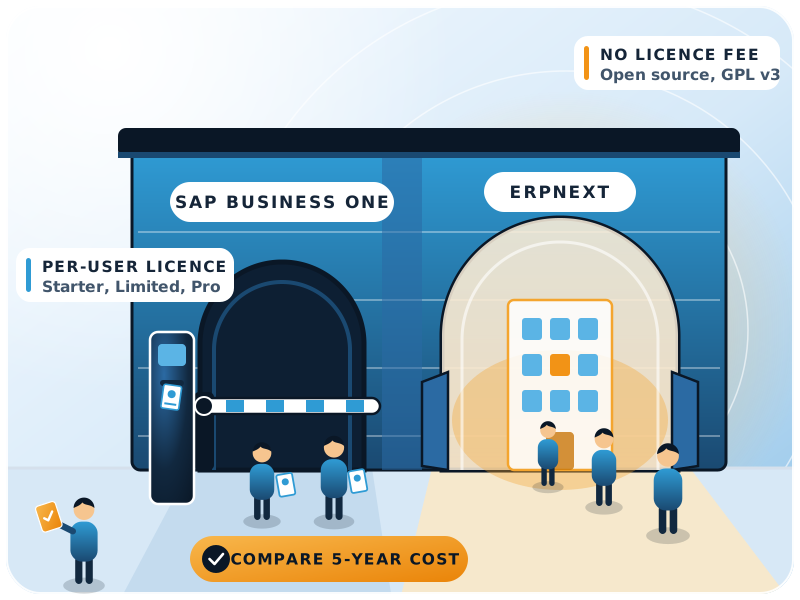
SAP Business One is SAP's ERP software for small and midsize businesses, sold per named user through SAP partners. ERPNext covers the same core but is open source under the GNU GPL v3, so there's no per-user licence fee: you pay for implementation, hosting and support.

- SAP Business One customers (per SAP)
- 85,000+
- Current SAP Business One release line
- Version 10.0
- SAP Business One user types
- Starter, Limited, Professional
- ERPNext software licence
- GPL v3, no fee
The basics
What is SAP Business One software?
In one line
SAP Business One is SAP's ERP for small and midsize businesses. It connects accounting, inventory, purchasing, sales and customer relationships in one system, and it runs in the cloud or on your own servers (SAP).
SAP says most of those customers are in wholesale distribution, light manufacturing, retail and professional services, and that there's no minimum company size.
The SAP Help Portal lists version 10.0 on Microsoft SQL Server, with a separate "version for SAP HANA". Partners sell, implement and support it.
- 85,000+
- Customers worldwide, according to SAP
- 10.0
- Current release line, updated through feature packages
- SQL Server or HANA
- Two database versions of the product
Is SAP Business One the same as SAP S/4HANA?
No. SAP positions Business One for small and midsize businesses, and S/4HANA Cloud and SAP ERP for organisations of all sizes. They're different products with different data models, so moving from one to the other is a reimplementation, not an upgrade. If you're on SAP's older ECC system, our guide to SAP ECC end of support and the move to S/4HANA or ERPNext covers that path.
The alternative
What is ERPNext?
ERPNext is an open-source ERP built on the Frappe Framework. Its code is public on GitHub under the GNU GPL v3, and the repository had more than 41,000 stars on 19 November 2026. It covers the same core areas as SAP Business One, plus a few more.
Core ERP
HR and payroll
India compliance
Hosting
Features
How do SAP Business One and ERPNext compare on features?
On paper both cover what a small or midsize trading or manufacturing company needs. The real differences are in how you extend them, how you connect them to other systems and what you pay as you grow.
| Area | SAP Business One | ERPNext |
|---|---|---|
| Core scope | Accounting, sales, purchasing, inventory, CRM, reporting | Accounting, selling, buying, stock, CRM, projects, assets, quality |
| Manufacturing | Production and MRP (SAP how-to guides) | BOM, work orders, job cards, production planning |
| HR and payroll | Check with your partner | Frappe HR app (open source) |
| India GST and e-invoicing | India localisation (SAP how-to guides) | India Compliance app (open source) |
| Reports | Built-in analytics, SAP Crystal Reports | Report builder, query and script reports, dashboards |
| APIs | Service Layer (OData), DI API in the SDK | REST API for every document type |
| Customisation | User-defined fields and tables, SDK add-ons, web client extensions | Custom fields and document types, server and client scripts, custom apps |
| Database | Microsoft SQL Server or SAP HANA | MariaDB |
| Source code | Proprietary | Open source, GPL v3 |
| Who sells it | SAP partners | Anyone; the software is free to download |
Sources: SAP Help Portal, ERPNext documentation, Frappe REST API.
Customisation and integrations
The SAP Business One way
User-defined fields and tables, add-ons built with the SDK, and the Service Layer API for integrations (SAP Help Portal). Bigger changes usually come as a partner add-on.
The ERPNext way
Every document type, standard or custom, gets a REST API automatically. A new document type, a validation or a print format can live in a custom app outside the core, so it survives upgrades.
That freedom needs discipline. We keep customisations in a separate app and change standard ERPNext only for real showstoppers. Skip that rule and upgrades get painful.
Pricing
How does SAP Business One pricing work?
Short answer
SAP's product page offers "Request a quote" rather than a public price list (checked 19 November 2026). Partners sell the licences per named user, either once with separate maintenance or as a cloud subscription.
SEIDOR, an SAP partner, describes the model like this (SEIDOR, August 2024):
- 1Pick a user type for each personStarter (up to 5 users, basic functions, can't be mixed with the other types), Limited (one area, such as sales or finance) or Professional (full access).
- 2Perpetual licenceA one-time fee per user. Annual maintenance isn't included and is paid separately.
- 3Or a cloud subscriptionA monthly fee per user that includes maintenance, with a minimum contract of three years.
SEIDOR's article lists indicative per-user figures for each type. We don't repeat them because they change by country and partner. Ask for a written quote, and ask what it includes.
ERPNext has no licence fee at all. The GPL v3 lets you run, change and share the software. Your costs are hosting, implementation, support and any custom work.
Total cost
What is the total cost of ownership?
Licences are one line. Over five years the bigger numbers often come from implementation, add-ons, maintenance and adding users. Use this table to build your own comparison.
| Cost line | SAP Business One | ERPNext |
|---|---|---|
| Software licence | Per named user, perpetual or subscription | None (GPL v3) |
| Annual maintenance | Separate on perpetual licences; inside the subscription | None for the software; optional support contract |
| Database | SQL Server or SAP HANA: check whether the database licence is in your quote | MariaDB, open source |
| Adding users | A new licence for each user | No licence cost; check hosting capacity |
| Hosting | Partner cloud or your own servers | Self-hosted or managed hosting |
| Implementation | Partner project | Partner or in-house project |
| Add-ons | Partner add-ons, often licensed per user | Open-source apps or custom apps you own |
| Changing partner | Licences are bought through a partner | Same software with any partner |
Watch growth more than today's price. On SAP Business One, every new user in sales, stores or accounts is a new licence.
On ERPNext, the 50th user costs about what the 10th did, apart from hosting. That changes who gets access: a storekeeper or a service engineer can post directly instead of sending a spreadsheet to someone with a licence.
Honest fit
When is SAP Business One the better choice?
ERPNext isn't the right answer for everyone. SAP Business One is a sound pick when:
Your parent company runs SAP
An industry add-on fits you well
Your team already knows it
Your user count is small and stable
Where ERPNext wins
When does ERPNext fit better?
- Users keep growing. Licence-free users let you give ERP access to stores, sales and service staff, not just accounts.
- Your processes don't fit a standard box. Custom document types and apps, plus a REST API on everything, make deep changes practical.
- You want to own your system. The code is open, the data sits in a database you can reach, and you can change partners without changing software.
- You need Indian compliance without extra licences. GST, e-invoicing and e-way bills come from the open-source India Compliance app.
GPL v3
ERPNext's licence: run, change and share the software, with the code on GitHub.
Still choosing between open-source and SaaS options? Compare ERPNext with Odoo, Zoho ERP and Tally Prime, or see every ERPNext comparison.
Migration
How do you move from SAP Business One to ERPNext?
Most of the effort is in data and testing, not software. In ERP migrations the slow part is almost always cleaning master data: duplicate customers, items with three names, old accounts nobody uses. We usually follow these steps:
- 1Build a fact baseList modules used, users by role, add-ons, the reports people really open, and every integration: bank, tax portal, website, warehouse.
- 2Clean and map mastersBusiness partners become Customers and Suppliers, items move with units and valuation, and the chart of accounts is mapped line by line. A common snag: one company set up as both a customer and a vendor under two codes. Decide early whether it stays as two records or gets linked.
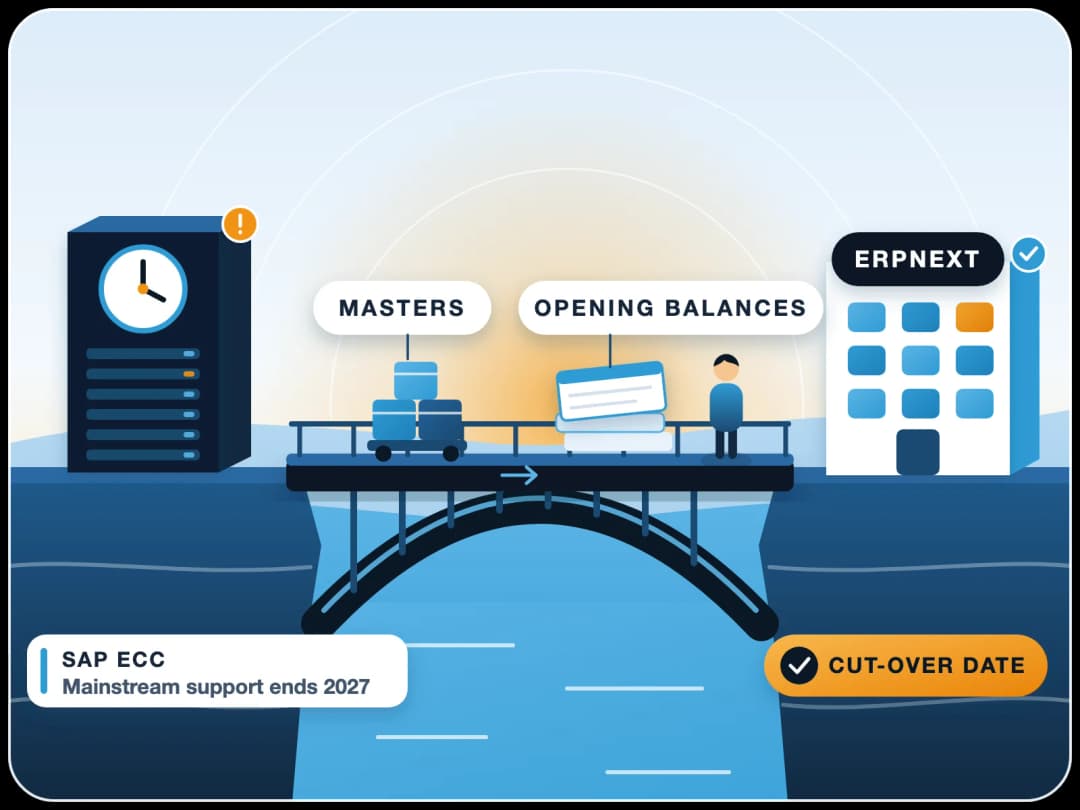
- 3Pick a cut-off dateMove opening balances and open documents (unpaid invoices, pending orders) at a period start. Keep SAP Business One read-only for old history.
- 4Load with the Data Import toolERPNext's Data Import loads CSV or Excel files and shows errors row by row, so test loads can be repeated.
- 5Rebuild reports and integrationsRebuild the reports people use, not every report that exists.
- 6Run in parallel for a monthCompare trial balance, stock value and receivables in both systems before you switch the old one off.
Our ERP migration service covers this path in more detail, including data mapping and the parallel run.
Limits
When should you not switch?
Don't move just to escape a licence bill if your contract or setup makes the move costly right now.
Early in a cloud subscription
A critical add-on has no equivalent
Nothing is broken
Next step
What should you do next?
- 1Count users by roleToday's number, and the number you expect in three years.
- 2List the add-ons you can't loseAnd the integrations that must keep working on day one.
- 3Get a written five-year quoteAsk your SAP partner for one, then compare it line by line with the cost table above.
If you'd like a second view, FinByz has implemented ERPNext since 2016, across 200+ projects in 15+ countries. We'll tell you honestly if ERPNext isn't the right fit for you.
- SAP Business One
- ERPNext
- Licensing
- Total cost of ownership
- ERP migration
Sources
- SAP, SAP Business One product page and FAQ, checked 19 Nov 2026
- SAP Help Portal, SAP Business One 10.0 documentation, checked 19 Nov 2026
- SEIDOR, What is the price of SAP Business One?, 2 Aug 2024
- Frappe, ERPNext source code (GitHub), checked 19 Nov 2026
- ERPNext licence, GNU GPL v3
- ERPNext documentation, Introduction
- Frappe Framework documentation, REST API
- ERPNext documentation, Data Import
- Frappe HR (open-source HR and payroll)
- India Compliance app for ERPNext